jupyter notebook for python (四)
标签: python
(一)Addition: Numbers and Strings
Numeric addition
Numeric addition Single line math equations, run in a code cell, will output a sum
# adding a pair of single digit Integers
3 + 5
String addition
string addition single line equations, run in a code cell, will output a single concatenated string
Tip: all strings must be in quotes
# adding a pair of strings
"I wear " + "a hat"
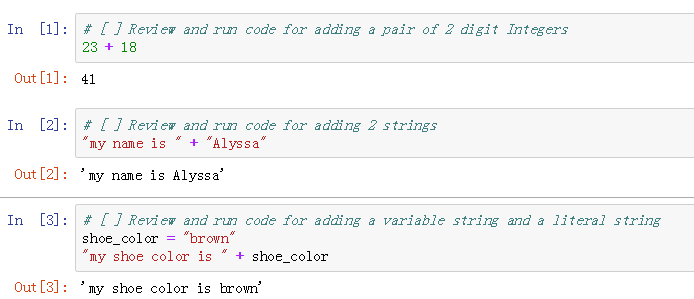
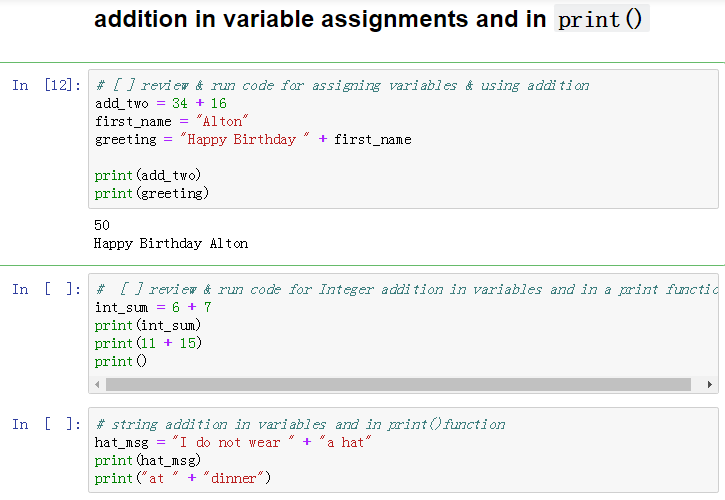
We can also add variables as long as we add strings to strings and numbers to numbers
示例图:
(a)
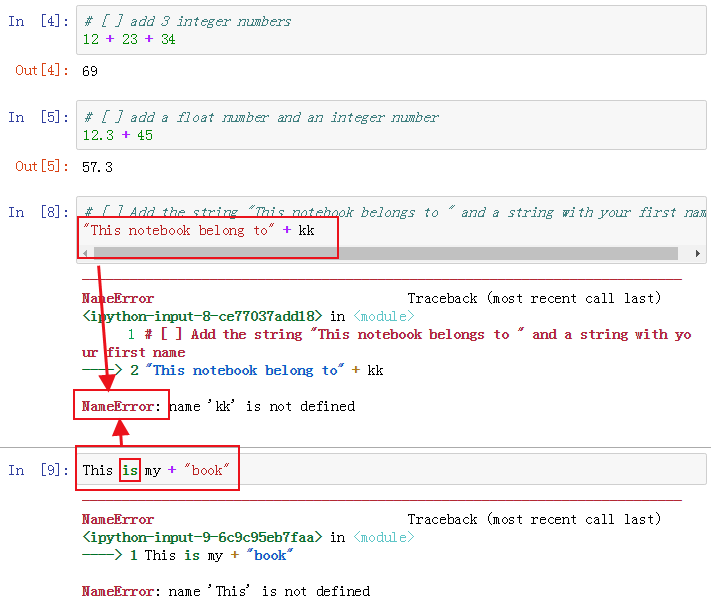
(b)相信正确的写法不用我再写一遍了吧?
(c)
翻译:
assign:分配
variables:变量。变数。
perform:执行
(二)Errors!
Encountering Errors and troubleshooting errors are fundamental parts of computer programming
TypeError
The line print("my number is " + 123) causes the TypeError message to appear
TypeError: Can't convert 'int' object to str implicitly
When adding to the string "my number is " the compiler is experiencing another string, but finds a number *123
Python cannot convert the Integer 123 to a string without explicit instruction (in code)
in other words, python only allows combining like types
str+strint+int
(三)
More Errors
SyntaxError & NameError
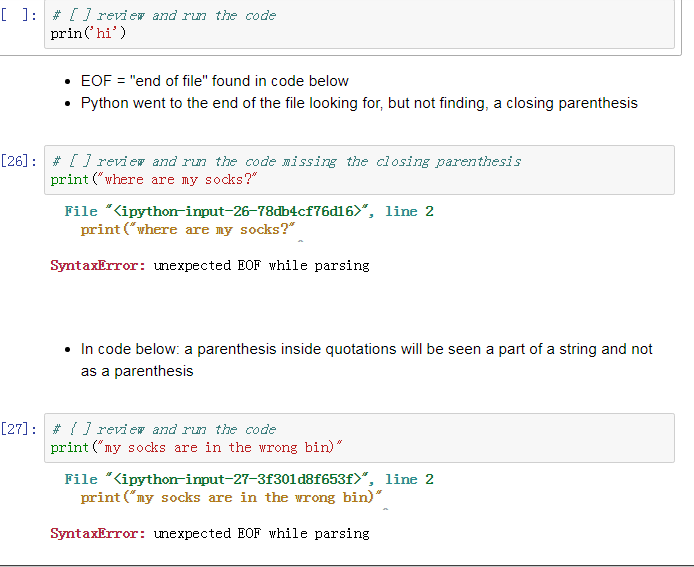
- SyntaxError - breaks code formatting rules of python (破坏了python的代码格式化规则)
- NameError - object is not defined (can't be found)
Python has a specific grammar that it follows that is referred to as syntax(语法).
The print function syntax rules for output of a single string include
- parentheses
( )containing a string followprint(SyntaxError) - strings have matching quotation marks (SyntaxError)
printis lowercase and correctly spelled (NameError)
Failure to follow any of these rules results in a SyntaxError or NameError when the code is run

示例图:
智能推荐
Python教程:Jupyter Notebook入门
Jupyter Notebooks使您可以将代码,注释,多媒体和可视化组合到一个交互式文档中,该文档可以共享,重复使用和重新处理。 Jupyter Notebook最初是为用Python,R和Julia编写的数据科学应用程序而开发的,它以各种方式对各种项目都有用。 您可以使用Jupyter Notebook与第三方共享Python代码及其输出,通过实时交互反馈运行代码,或者系统地跟踪和记录工作进度...
python学习利器Jupyter Notebook
一、什么是Jupyter Notebook? 简介 Jupyter Notebook是基于网页的用于交互计算的应用程序。其可被应用于全过程计算:开发、文档编写、运行代码和展示结果。 Jupyter Notebook地址: https://jupyter-notebook.readthedocs.io/en/stable/ 到底什么是 Jupyter Notebook?按照 Jupyter 创始人 ...
Python学习使用--Jupyter NoteBook
文章目录 安装与运行 快捷键 默认地址 查看默认地址 其他使用技巧 安装与运行 可以使用pip直接安装 pip有问题的请参考文档 pip的使用和命令以及错误解决 运行命令 在cmd中直接输入 Jupyter NoteBook 运行完之后会自动在浏览器中展示 快捷键 打开之后为: 需要和esc键联动 需要和enter键联动 默认地址 查看默认地址 在运行起来的项目中新建运行 输入命令 在cmd中运行...
四、Jupyter notebook的进阶使用
Tab补全 在shell中输入表达式,按下Tab,会搜索已输入变量(对象、函数等等)的命名空间: 补全任何对象的方法和属性: 也可以补全电脑上对应的文件信息 补全函数的关键词参数(包括等于号=): 自省 在对象(函数或实例方法,或者定义过的文档字符串)后使用问号?,可以显示对象的信息: 使用??可以显示函数的源码: 使用?还可以搜索IPython的命名空间。字符与通配符结合可以匹配所有的名字。例如...

基于jupyter notebook的Python学习(四)生成器,函数变量, 对象
1. 生成器、生成式及函数的区别。 (1)生成式的定义方式为 [表达式 循环语句 [判断条件]] list的表达方式为[,],tuple的表达方式为(,),dict的表达方式为{:,},集合的表达方式为{,},故可知生成式的返回结果是list。 (2)生成器有2中配置方法,一种和生成式类似,通过(表达式 循环语句 [判断条件])来实现,一种和函数类似,通过yield关键字来实现。 生成...
猜你喜欢

Python·Jupyter Notebook各种使用方法
Jupyter Notebook安装的官方网站 安装Jupyter Notebook的先决条件:已经安装了python(python 2.7 或者是python3) 具体的安装方法: 官方建议利用Anaconda安装Jupyter 安装完成Anaconda后,如果该Anaconda并不自带Jupyter Noterbook,那么,打开cmd,输入:conda install jupyter &nb...

在Python 3中设置Jupyter Notebook
介绍Jupyter Notebook提供了一个用于作为Web应用程序的交互式计算的命令shell。该工具可以与多种语言一起使用,包括Python,Julia,R,Haskell和Ruby。它通常用于处理数据,统计建模和机器学习。 本教程将引导您设置Jupyter Notebook以在本地或从Ubuntu 16.04服务器运行,以及教您如何连接和使用笔记本。 Jupyter笔记本(或简称笔记本)是由...
Python3.X配置jupyter notebook
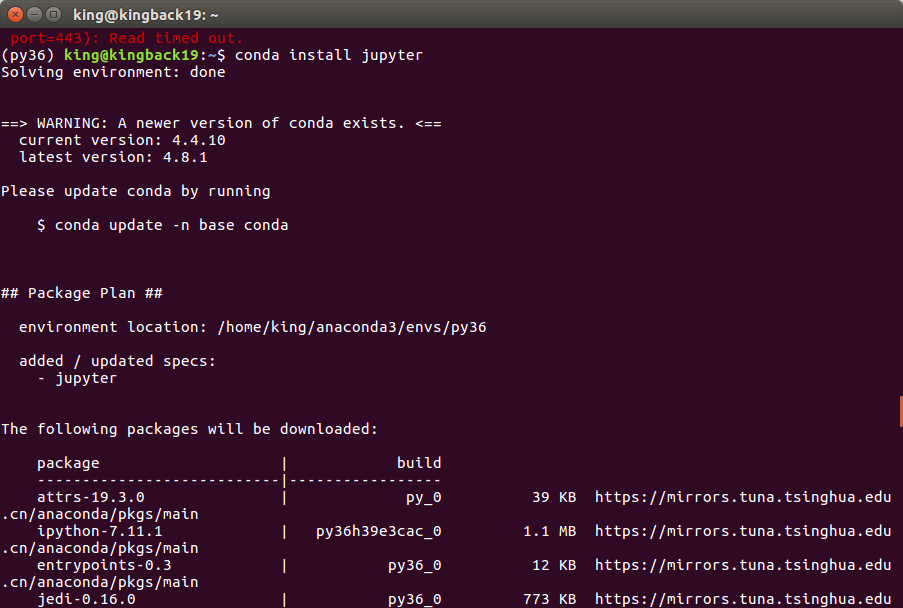
Python3.X配置jupyter notebook 1.在终端安装jupyter 1.在终端安装jupyter 有时会出现连接超时的情况则可使用如下命令代替,因为我的就是在pip的时候爆出了错误443。嘿嘿嘿 这就是结果图啦! 然后再执行如下命令,启动 界面如下所示: 这时即可在浏览器看到我们的界面啦,哈哈哈,nou 好好享受jupyter带来的方便吧!在写完代码后Ctrl+Enter执行该语...
Python的运行环境Jupyter Notebook
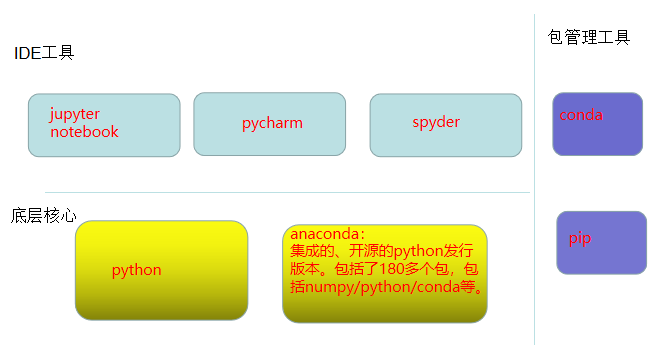
目录 Python开发工具 Jupyter Notebook的安装 Jupyter Notebook的快捷键 Jupyter Notebook 安装库、扩展工具 安装库 安装扩展工具 参考 Python开发工具 Python开发工具大体分两种:代码编辑器、集成工具IDE。 常用到的编辑器有Vim, Atom、Sublime Text、VS Code、...
冒泡排序,及改进方式,性能优化400%>>>附图解加源码
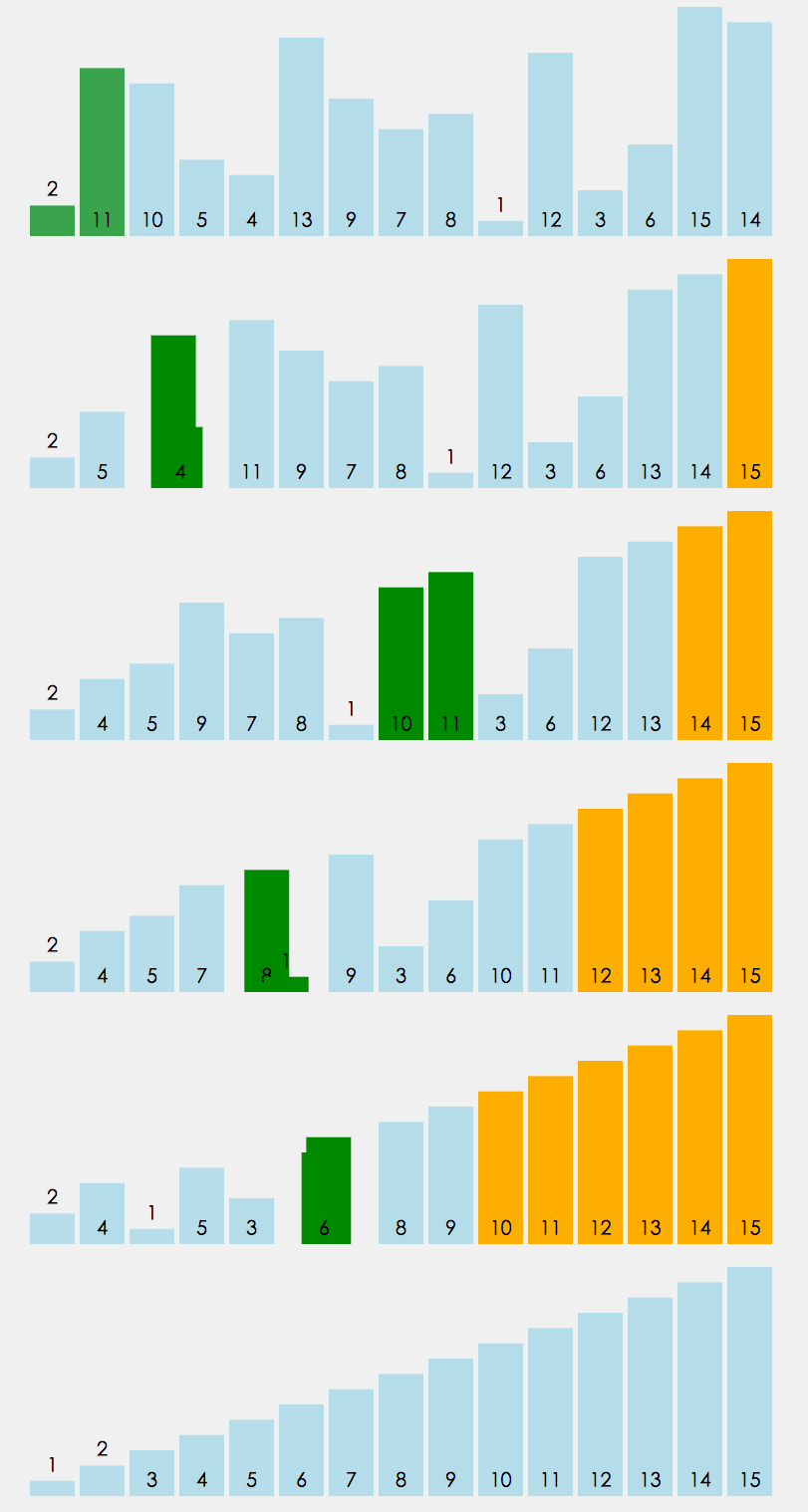
首先源码附上,源码中带有注释,看不懂没关系,源码后面附带图解,最后附上代码效率提升图 源码如下: 方案一:其实实现很简单,两层循环,每次内层迭代出最大的一个值,将其放入数组最后一个位置,外层循环的末端便往前移一位。其原理如下图 方案一代码块: 方案二:优化改进 仔细观察上面的图,我们不难发现当迭代到图下这样的情况时,其实已经全排序好了,但是我们还是需要对它进行1,2,3,4,5,6的迭代,这些情况...
