python Jupyter
根据给定的少量的数据集使用一系列操作,练习的网站如下:
https://github.com/schmit/cme193-ipython-notebooks-lecture
直接下载到本地,用Jupyter打开即可
In[1] :
`
%matplotlib inline
import random
import numpy as np
import scipy as sp
import pandas as pd
import matplotlib.pyplot as plt
import seaborn as sns
import statsmodels.api as sm
import statsmodels.formula.api as smf
sns.set_context(“talk”)`
In[2]:
anascombe = pd.read_csv('data/anscombe.csv')
anascombe.head()
Out[2]:
    dataset x   y
0   I   10.0    8.04
1   I   8.0 6.95
2   I   13.0    7.58
3   I   9.0 8.81
4   I   11.0    8.33
In[3]:
#数据处理,读出
lendata = len(anascombe.x)
x = [[] for i in range(4)]
y = [[] for i in range(4)]
for i in range(lendata):
    if anascombe.dataset[i] == 'I':
        x[0].append(anascombe.x[i])
        y[0].append(anascombe.y[i])
    elif anascombe.dataset[i] == 'II':
        x[1].append(anascombe.x[i])
        y[1].append(anascombe.y[i])
    elif anascombe.dataset[i] == 'III':
        x[2].append(anascombe.x[i])
        y[2].append(anascombe.y[i])
    elif anascombe.dataset[i] == 'IV':
        x[3].append(anascombe.x[i])
        y[3].append(anascombe.y[i])

#求解每个数据集x与y的平均值与方差
for i in range(4):
    print('mean of x' + str(i+1) + ': ' + str(np.mean(x[i])))
    print('mean of y' + str(i+1) + ': ' + str(np.mean(y[i])))
    print('var of x' + str(i+1) + ': ' + str(np.var(x[i])))
    print('var of y' + str(i+1) + ': ' + str(np.var(y[i])))
    co = np.corrcoef(x[i], y[i])[0][1]
    print('correlation coefficient of dataset' + str(i+1) + ': ' + str(co))

    #最小二乘拟合
    #为模型添加常数项
    X = sm.add_constant(x[i])
    est = sm.OLS(y[i], X)
    est = est.fit()
    print('dataset' + str(i+1) + ' line: y = ' + str(est.params[0]) + ' + '+ str(est.params[1]) + 'x')
    print('\n')
Out[3]:
mean of x1: 9.0
mean of y1: 7.50090909091
var of x1: 10.0
var of y1: 3.75206280992
correlation coefficient of dataset1: 0.816420516345
dataset1 line: y = 3.00009090909 + 0.500090909091x


mean of x2: 9.0
mean of y2: 7.50090909091
var of x2: 10.0
var of y2: 3.75239008264
correlation coefficient of dataset2: 0.816236506
dataset2 line: y = 3.00090909091 + 0.5x


mean of x3: 9.0
mean of y3: 7.5
var of x3: 10.0
var of y3: 3.74783636364
correlation coefficient of dataset3: 0.81628673949
dataset3 line: y = 3.00245454545 + 0.499727272727x


mean of x4: 9.0
mean of y4: 7.50090909091
var of x4: 10.0
var of y4: 3.74840826446
correlation coefficient of dataset4: 0.816521436889
dataset4 line: y = 3.00172727273 + 0.499909090909x
In[4]:
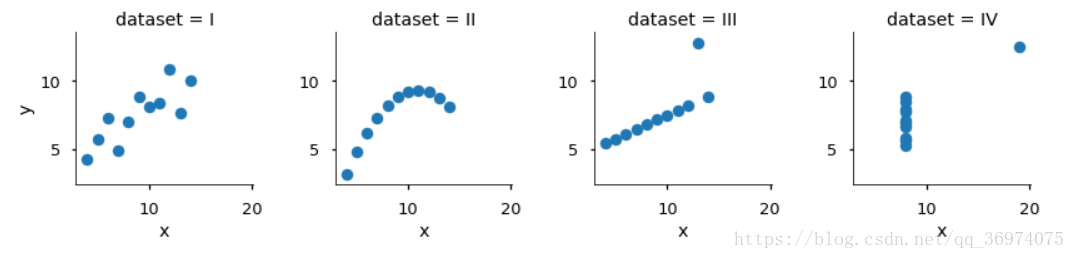
g = sns.FacetGrid(anascombe, col="dataset")
g.map(plt.scatter, "x","y")
plt.show()
Out[4]:
智能推荐

jupyter notebook for python (六)
(1)function input() (2) note: input() returns a string (type = str) regardless of entry if a string is entered input() returns a string if a number is entered input()&nb...
python jupyter matplotlib显示中文
mac mac安装字体可以通过字体册来安装 参考:https://support.apple.com/zh-cn/guide/font-book/fntbk1000/10.0/mac/10.15 windows 可参考:https://www.cnblogs.com/kuxingseng95/p/10021788.html...
python Jupyter Notebook2
参考Link: (3)机器学习新手必看:Jupyter Notebook入门指南 https://blog.csdn.net/guleileo/article/details/80490921 (4)Windows下的Jupyter Notebook 安装与自定义启动(图文详解) https://www.cnblogs.com/zlslch/p/6984403.html Jupyter Noteb...
Python教程:Jupyter Notebook入门
Jupyter Notebooks使您可以将代码,注释,多媒体和可视化组合到一个交互式文档中,该文档可以共享,重复使用和重新处理。 Jupyter Notebook最初是为用Python,R和Julia编写的数据科学应用程序而开发的,它以各种方式对各种项目都有用。 您可以使用Jupyter Notebook与第三方共享Python代码及其输出,通过实时交互反馈运行代码,或者系统地跟踪和记录工作进度...

jupyter notebook for python (八)
Functions Arguments & Parameters Functions are used for code tasks that are intended to be reused Python allows us to create User Defined Functions and provides many Built-in Functi...
猜你喜欢
jupyter notebook for python (六)
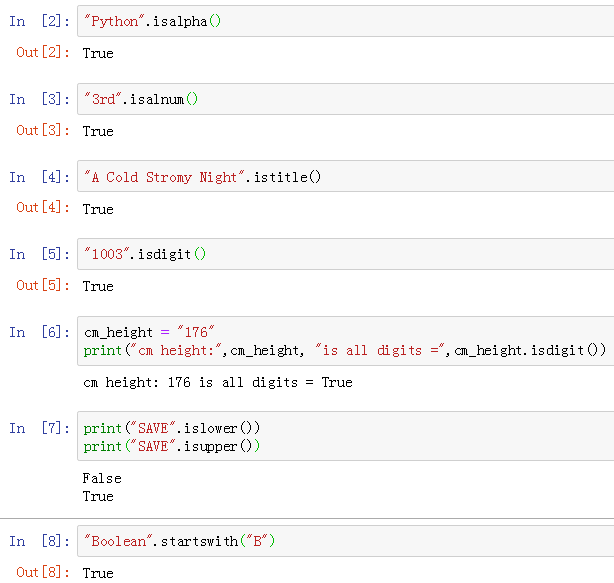
Boolean string tests methods .isalpha() .isalnum() .istitle() .isdigit() .islower() .isupper() .startswith() type str has methods that return a Boolean (True or False) for different tests on...
Python jupyter代码自动补全
Python jupyter代码自动补全 1 Jupyter Notebook主题字体设置及自动代码补全 1.1 安装# 安装好了,有的电脑可能会提示缺少 lesscpy,继续 pip 安装 然后是对主题选择、字体大小进行设置,我总结了一个我最喜欢的 命令行的格式的解释如下表所示: cl options arg default Usage help -h – List Themes -...
python学习利器Jupyter Notebook

一、什么是Jupyter Notebook? 简介 Jupyter Notebook是基于网页的用于交互计算的应用程序。其可被应用于全过程计算:开发、文档编写、运行代码和展示结果。 Jupyter Notebook地址: https://jupyter-notebook.readthedocs.io/en/stable/ 到底什么是 Jupyter Notebook?按照 Jupyter 创始人 ...
冒泡排序,及改进方式,性能优化400%>>>附图解加源码
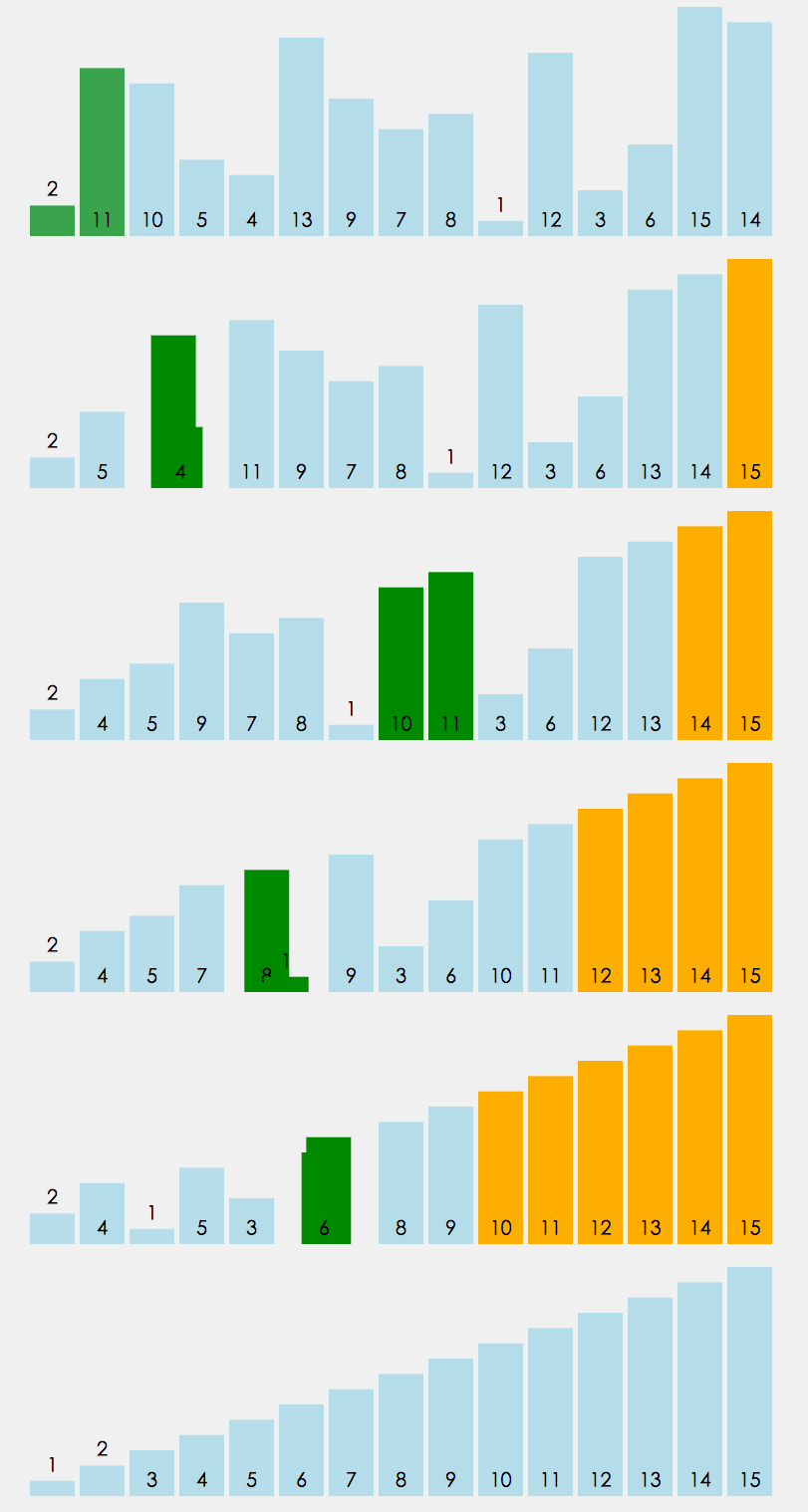
首先源码附上,源码中带有注释,看不懂没关系,源码后面附带图解,最后附上代码效率提升图 源码如下: 方案一:其实实现很简单,两层循环,每次内层迭代出最大的一个值,将其放入数组最后一个位置,外层循环的末端便往前移一位。其原理如下图 方案一代码块: 方案二:优化改进 仔细观察上面的图,我们不难发现当迭代到图下这样的情况时,其实已经全排序好了,但是我们还是需要对它进行1,2,3,4,5,6的迭代,这些情况...
css3常用选择器
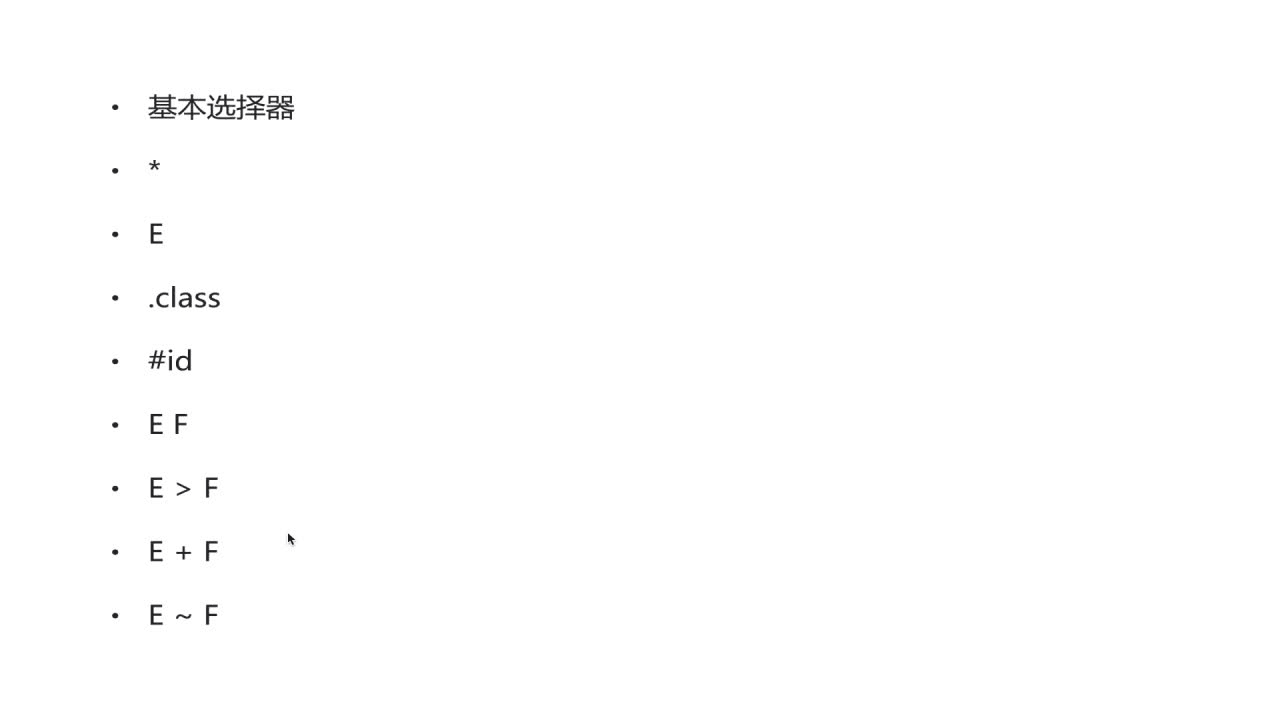
先介绍一下基本选择器,如下几种 *:通配符。选择页面的所有元素 E:元素选择器。对页面的一些元素进行选择,如p,div,li等 .class:类选择器 #id:id选择器。一个Id在一个页面中只能选择,这是和类选择器的区别 E F:后代选择器。如ul li。选中ul下的li E>F:子元素选择器。如下,可以用 h1 > strong {color:red;}使h1的子元素strong变...
