百度地图自定义覆盖物

<!doctype html>
<html>
<head>
<meta charset="utf-8">
<title>百度地图自定义覆盖物</title>
<style type="text/css" media="screen">
body,
html,
#mapContainer{
    width: 100%;
    height: 100%;
    overflow: hidden;
    margin: 0;
    font-family: "微软雅黑";
}
</style>
</head>

<body>
    <div id="mapContainer"></div>
    <!-- map -->
    <script type="text/javascript" src="http://api.map.baidu.com/api?v=2.0&ak=您的**"></script>
    <script>
    // 百度地图API功能
    var map = new BMap.Map("mapContainer"); // 创建Map实例
    map.enableScrollWheelZoom(true); //开启鼠标滚轮缩放
    var point = new BMap.Point(116.407845, 39.914101); //创建中心点
    var myIcon = new BMap.Icon("iconDot.png", new BMap.Size(67,67)); //自定义点图标
    var marker = new BMap.Marker(point, {
        offset: new BMap.Size(0, 0), //偏移
        icon: myIcon //图标
    });
    map.centerAndZoom(point, 12); // 初始化地图,设置中心点坐标和地图级别
    map.addOverlay(marker); //把标记覆盖物添加到地图


/*--自定义核心代码------------------------------------------------------------------------------------*/

    //创建自定义覆盖物构造函数
    function ComplexCustomOverlay(param) {
        this.point = param.point; //覆盖物坐标点
        this.content = param.content || ''; //覆盖内容
        this.zIndex = param.zIndex || 1; //覆盖物内容层级
        this.boxClass = param.boxClass || ''; //覆盖物容器class名称
        this.boxStyle = cssText(param.boxStyle); //覆盖物容器样式
        this.arrowClass = param.arrowClass || ''; //覆盖物箭头class名称
        this.arrowStyle = cssText(param.arrowStyle); //覆盖物箭头样式
    }

    //把百度地图遮盖物对象赋值给构造函数原型对象
    ComplexCustomOverlay.prototype = new BMap.Overlay();

    //初始化创建覆盖物
    ComplexCustomOverlay.prototype.initialize = function(map) {
        this.map = map;
        this.box = document.createElement('div');
        this.box.className = this.boxClass;
        this.box.style.cssText = this.boxStyle;
        this.box.innerHTML = this.content;

        this.arrow = document.createElement('div');
        this.arrow.className = this.arrowClass;
        this.arrow.style.cssText = this.arrowStyle;

        map.getPanes().labelPane.appendChild(this.box);
        map.getPanes().labelPane.appendChild(this.arrow);
        return this.box;
    };

    //地图拖动调用事件
    ComplexCustomOverlay.prototype.draw = function() {
        mapDraw(this);
    };

    //计算覆盖物在地图上的位置
    function mapDraw(_this){
        var pixel = map.pointToOverlayPixel(_this.point);
        _this.box.style.left = pixel.x - parseInt(getStyle(_this.box,'width'))/2 - (parseInt(getStyle(_this.box,'padding-left')) + parseInt(getStyle(_this.box,'padding-right')))/2 + "px";
        _this.box.style.bottom  = -pixel.y + parseInt(getStyle(_this.arrow,'height')) + "px";

        _this.arrow.style.left = pixel.x - parseInt(getStyle(_this.arrow,'width'))/2 + "px";
        _this.arrow.style.bottom  = -pixel.y + "px";
    }

    //容器css样式配置
    var boxCss = {
        'position': 'absolute',
        'width': '300px',
        'height': '150px',
        'padding': '24px',
        'background-color': '#fff',
        'border-radius': '5px',
        'white-space': 'nowrap',
        'box-shadow': 'rgb(0, 0, 0) 0px 1px 9px -3px'
    };

    //箭头css样式配置
    var arrowCss = {
        'position': 'absolute',
        'width': '22px',
        'height': '22px',
        'overflow': 'hidden',
        'background': 'url(arrow.png) no-repeat'
    };

    //实例化覆盖物对象
    var myCompOverlay = new ComplexCustomOverlay({
        point: point,
        content: '<div>自定义覆盖物</div>',
        boxClass: 'box',
        boxStyle: boxCss,
        arrowClass: 'arrow',
        arrowStyle: arrowCss,
        zIndex: 1
    });

    //地图缩放重新计算覆盖物位置
    map.addEventListener("zoomend", function(){
        mapDraw(myCompOverlay);
    });

    //把自定义覆盖物添加到地图
    map.addOverlay(myCompOverlay);


/*--自定义核心代码结束------------------------------------------------------------------------------------*/


/*--下面为辅助代码------------------------------------------------------------------------------------*/
    //获取元素样式
    function getStyle(node,attr){
        if(typeof getComputedStyle != 'undefined'){
            var value = getComputedStyle(node,null).getPropertyValue(attr);
            return attr == 'opacity' ? value * 100 : value; //兼容不透明度,如果是不透明度,则返回整数方便计算
        }else if(typeof node.currentStyle != 'undefined'){ //如果是IE
            if(attr == 'opacity'){ //兼容不透明度
                return Number(node.currentStyle.getAttribute('filter').match(/(?:opacity[=:])(\d+)/)[1]);
            }else{
                return node.currentStyle.getAttribute(attr);
            }
        }
    }

    //css样式字符串处理
    function cssText(style){
        var css = '';
        if(typeof style == 'string'){
            css = style;
        }else if(typeof style == 'object'){
            for(var i in style){
                css += i + ':' + style[i] + ';';
            }
        }
        return css;
    }
    </script>
</body>

</html>
智能推荐


百度地图的覆盖物自定义(二)--点击标注物弹出完全自定义的信息提示窗口(不继承百度提供的Infowindow)
百度地图的覆盖物自定义(二)--点击标注物弹出完全自定义的信息提示窗口(不继承百度提供的Infowindow)...
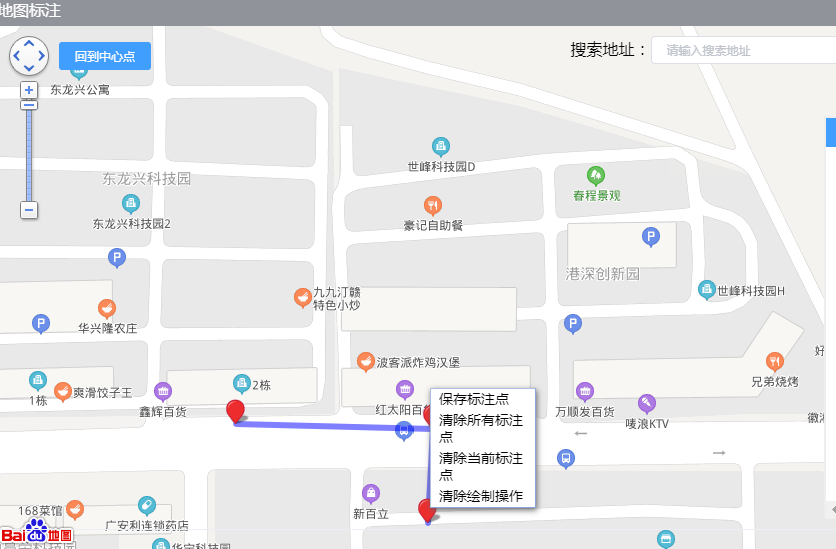
百度地图使用笔记———覆盖物(点,折线)的创建,删除,自定义属性,地图点击事件,设置地图中心点
功能描述:在百度地图中,我们需要选择设备,然后进行标注在地图中,而且是批量标注,这时就需要绘制地图点,线,所以这时点、线就涉及到创建,删除,创建自定义属性(创建自定义属性是为了绑定ID,与设备信息联系在一起,因为创建的覆盖物只包含该覆盖物的地图信息,不包含设备信息)等功能 要实现该功能,我们的思路很简单:选择设备——创建覆盖物(绘制点、线)——给点、...
vue 百度地图遮盖物,自定义遮盖物
先看效果: 附在地图上,对地图操作,这块百度地图api也有。 可以在vue里直接使用,也可以单独写到js里,但是在js里调用vue的方法,vue的this指针就变了,拿到vue里操作好了...

使用百度地图API在地图中设置一个覆盖物(InfoWindow),可自定义窗口内容
由于主做后台方面的,界面很丑,也没有用bootstrap,vue什么的,就简单的css样式和html,这个内容可以自行发挥咯 话不多说,我就直接上代码了 html代码如下: javaScript代码如下: css代码如下: 这样就可以在地图上的point位置显示一个信息窗口啦,效果如下图: ...
猜你喜欢


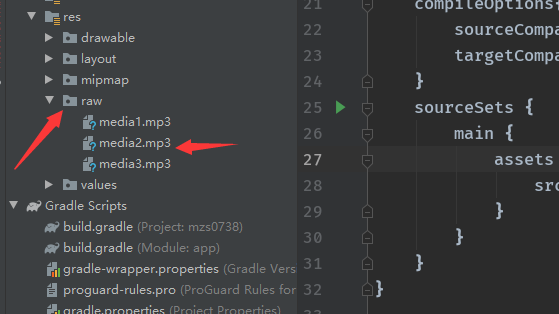
raw&assets&sdcard读取mp3文件的方式
Raw方式 assets SDcard 首先需要添加 静态请求权限 动态请求 playMnt的播放方法 如何在模拟器中添加音乐 详细代码参见 点击跳转...

微信小程序封装请求方法wx.request(OBJECT)
小程序写完也一段时间了,最近分享下装逼的技能吧,封装请求方法,不但高大上,而且使用简单。先说说小程序自带的请求吧! wx.request(OBJECT) 参数: 参数名 类型 必填 默认值 说明 url String 是 开发者服务器接口地址 data Object/String/ArrayBuffer 否 请求的参数 header Object 否 设置请求的 header,header 中不能...
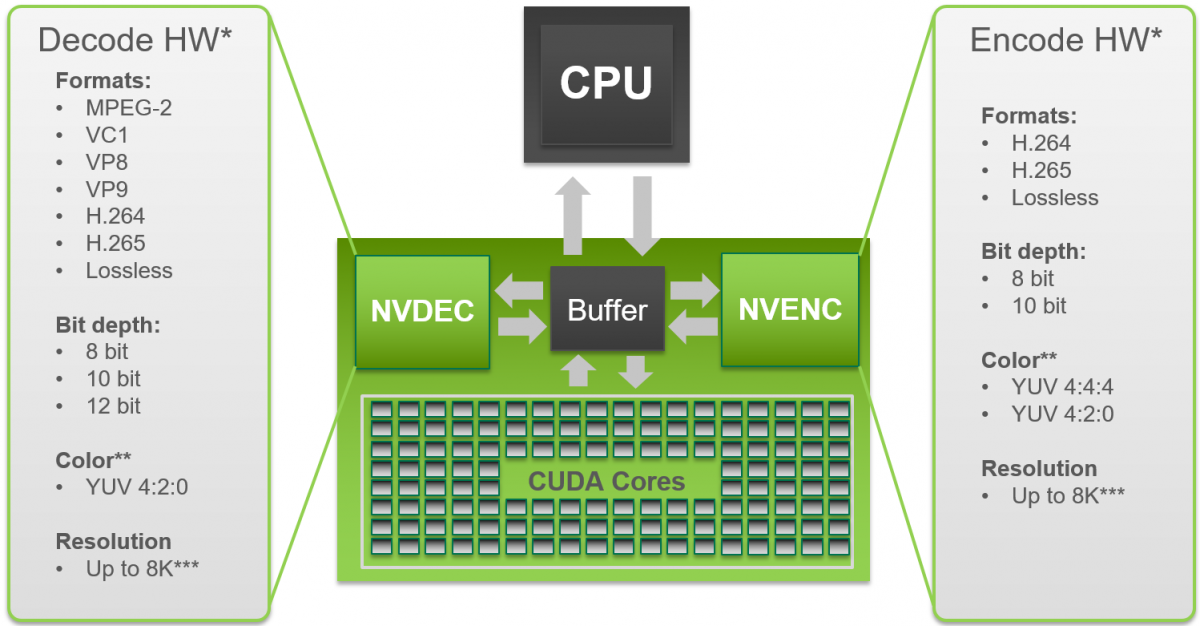
【并行计算-CUDA开发】【视频开发】ffmpeg Nvidia硬件加速总结
2017年5月25日 0. 概述 FFmpeg可通过Nvidia的GPU进行加速,其中高层接口是通过Video Codec SDK来实现GPU资源的调用。Video Codec SDK包含完整的的高性能工具、源码及文档,支持,可以运行在Windows和Linux系统之上。从软件上来说,SDK包含两类硬件加速接口,用于编码加速的NVENCODE API和用于解码加速的NVDECODE API(之前被...
