java实现自动化测试接口访问(一)
一、前置准备:
- PostMan
- 访问的网站:Github
- 访问的接口:
https://api.github.com/search/commits?q=committer-date:2017-11-27..2017-12-01&page=1&per_page=100 - 实现访问:查找2017-11-27到 2017-12-01的100条数据
二、代码实现
1. 使用PostMan输入访问的接口,取得需要的字段,items,和items中repository的字段id,和full_name(可以自己获取想要的字段)
- java类
(1)、CommitRepo
public class CommitRepo {
    private String id;
    private String full_name;
    @Override
    public String toString() {
        return "CommitRepo [id=" + id + ", full_name=" + full_name + "]";
    }
    public String getId() {
        return id;
    }
    public String getFull_name() {
        return full_name;
    }
}
(2)、CommitItems
public class CommitItems {
    private CommitRepo repository;//名字要一样(repository)

    public CommitRepo getRepository() {
        return repository;
    }

    @Override
    public String toString() {
        return "CommitItems [repository=" + repository + "]";
    }

}
(3)、GithubCommitsResult
public class GithubCommitsResult {
    private CommitItems[] items;

    public CommitItems[] getItems() {
        return items;
    }

    @Override
    public String toString() {
        return "GithubCommitsResult [items=" + Arrays.toString(items) + "]";
    }
}
(4)、GithubTest测试类
public static void main(String[] args) {
    try {
    URL url = new URL("https://api.github.com/search/commits?q=committer-date:2017-11-27..2017-12-01&page=10&per_page=100");
    HttpsURLConnection https = (HttpsURLConnection) url.openConnection();// 打开连接
    https.addRequestProperty("Accept","application/vnd.github.cloak-preview");// 设置请求属性

    https.addRequestProperty("Authorization", "Basic "+up);
    https.setDoInput(true);
    InputStream is = https.getInputStream();
    Gson gson = new GsonBuilder().create();
    GithubCommitsResult gcr = gson.fromJson(new InputStreamReader(is),GithubCommitsResult.class);
    for(int i=0;i<gcr.getItems().length;i++){
          System.out.println(gcr.getItems()[i].getRepository().getId());
    }
        is.close();
        https.disconnect();
    } catch (IOException e) {
            // TODO Auto-generated catch block
            e.printStackTrace();
        }
    }
(5)、GithubTest测试类代码修改
public static void main(String[] args) {
    String url="https://api.github.com/search/commits?q=committer-date:2017-11-27..2017-12-01&page=1&per_page=100";
    String ret=getGithubApiReply(url);
    Gson gson = new GsonBuilder().create();
    GithubCommitsResult gcr = gson.fromJson(ret,GithubCommitsResult.class);
    System.out.println(gcr.getItems()[99].getRepository().getId());
}
public static String getGithubApiReply(String api_url) {
String retstr = null;
try {
URL url = new URL(api_url);
HttpsURLConnection https = (HttpsURLConnection) url
.openConnection();// 打开连接
https.addRequestProperty("Accept",
"application/vnd.github.cloak-preview");// 设置请求属性
https.setDoInput(true);
InputStream is = https.getInputStream();
Reader reader = new InputStreamReader(is, "utf-8");
StringBuffer sb = new StringBuffer();
int c = -1;
while ((c = reader.read()) != -1) {
sb.append((char) c);
}
retstr = new String(sb);
is.close();
https.disconnect();
} catch (IOException e) {
e.printStackTrace();
}
return retstr;
}智能推荐

接口测试—-工具篇,实现接口自动化
接口测试—-工具篇,实现接口自动化 今天来看下接口测试的两个工具方式,目前主流的做法有两种方式—-基于代码框架的用例编写和直接使用接口测试工具,那么本篇就这两种方式都来实现一下,为了说明情况,我们实现上一篇的前两个用例:直接请求readnotes接口数据和带上登录信息请求readnotes数据。 工具:使用的是jmeter 代码:使用的是python的unittest + ...

Java+Testlink实现接口自动化测试-3-连接TestLink和测试
前面一篇文章,大概介绍了这个框架的设计思路和步骤。这篇,开始介绍如何配置依赖包并连接本地Testlink环境,并做一些必要的API练习操作。 1.Maven pom添加testlinkjava client 依赖 百度打开,搜索testlink java client api maven这样关键字。 点击第一个链接,拷贝一...

Java+Testlink实现接口自动化测试-6-获取测试用例步骤
这一篇,介绍如何获取testlink下的用例的步骤。一个测试用例有多个子步骤,一个步骤有动作描述(actions)和期待结果。在TestLinkAPI中有获取测试步骤的方法,返回的是一个数组对象。 1.Testlink中接口用例步骤设计 这里设计到解析...
接口自动化测试
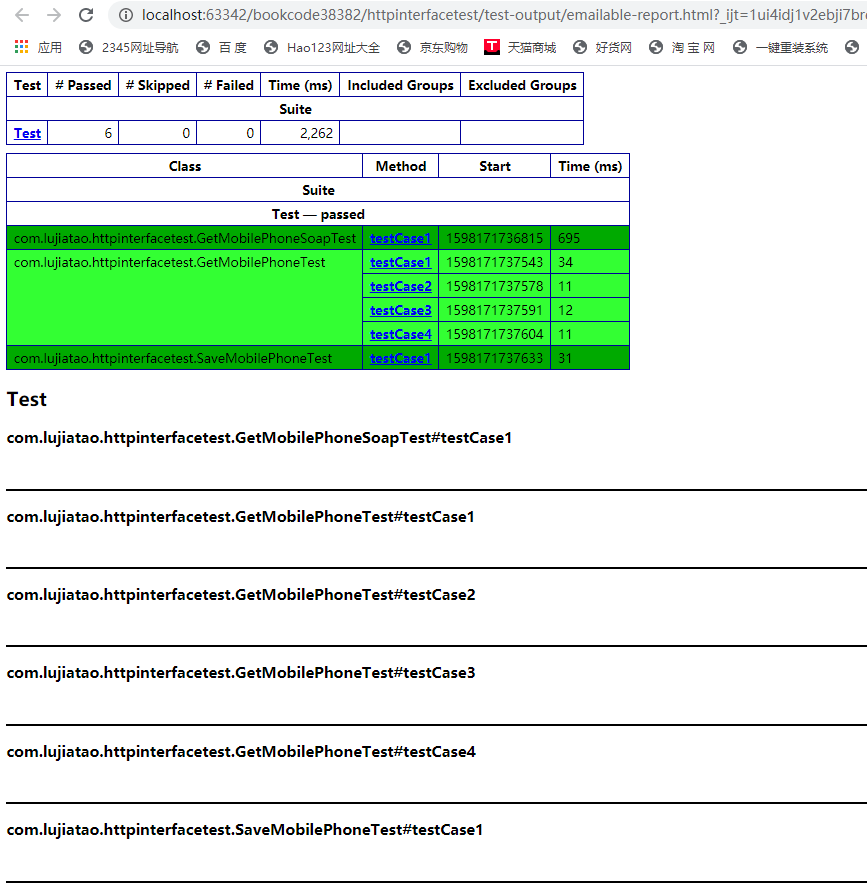
测试服务地址: https://gitee.com/steffens/httpinterface/tree/master/httpinterface 测试的代码地址: https://gitee.com/steffens/httpinterface/tree/master/bookcode38382/httpinterfacetest testng.xml...
接口自动化测试
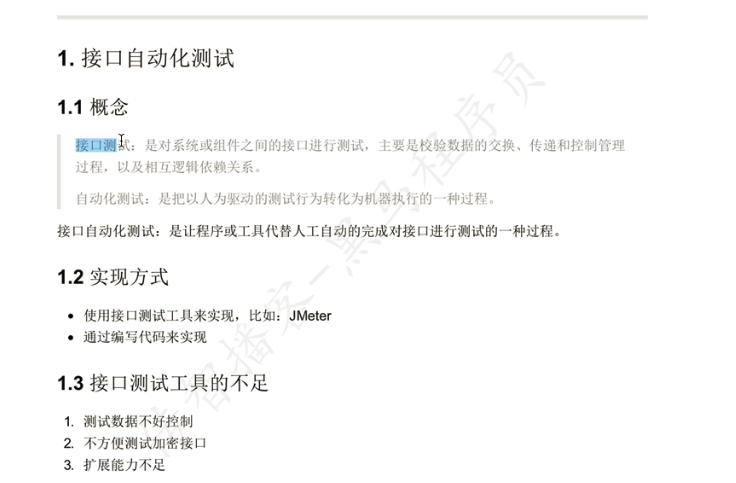
总结下 看的这个视频是使用 Python unittest 实现的 其原理就是多个test用力 执行后, 对结果进行一个 断言 其实Springboot里面用Junit也特别方便, 如果只是想接口自动化测试, 这俩差异不大, 选择自己擅长的语言即可 ...
猜你喜欢
Java自动化测试(登陆接口测试 14)
测试用例 用例 用例2 环境 pom.xml中添加testng 使用DataProvider遍历参数 使用Excel中的数据遍历测试 回忆之前操作Excel的操作 引入POI 编写一个读取excel的类 结果 问题 编码复杂,按索引不方便适配后续变更 使用EasyPoi 使用文档: http://easypoi.mydoc.io/ 引入 编写excel 表格映射 读取excel 结果 提取封装 为...
Python_第一天(安装、基本操作、数据类型)
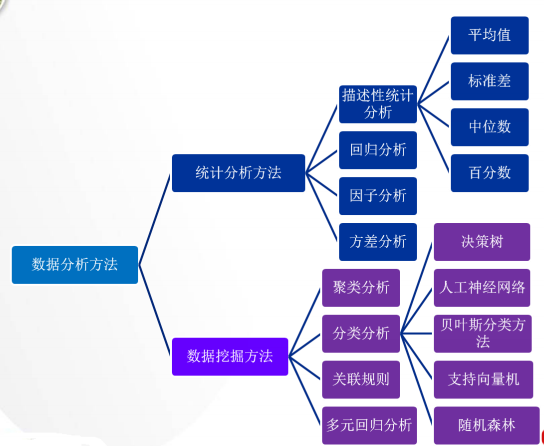
哈哈哈哈,开通后,还是只是简单地记录了两篇SQL学习日记。果然是我任乐的风格。 最近重新捡起了一些统计分析方法,网盘资料不全,学习了一周,还得拿起大学记录的笔记,在那里看,算是捡起了一些,学多学少,算是让自己安心一丢丢,让无处安放的心找到地方。 python总是这学习一点那儿学习一点,久久捡起来用一下,没有系统地好好学习。今天就奋起,再从零捡起来一下。能坚持几天呢,哈哈哈哈,任乐任乐。 一、安装A...

java实现自动化测试接口访问(一)
一、前置准备: PostMan 访问的网站:Github 访问的接口: https://api.github.com/search/commits?q=committer-date:2017-11-27..2017-12-01&page=1&per_page=100 实现访问:查找2017-11-27到 2017-12-01的100条数据 二、代码实现 1. 使用PostMan输入...

SQLite 真的很容易编译 | Linux 中国
事实证明,这个过程超麻烦(如通常一样),但是非常有趣! -- Julia Evans 上周,我一直在做一个 SQL 网站(https://sql-steps.wizardzines.com/,一个 SQL 示例列表)。我使用 sqlite 运行网站上的所有查询,并且我想在其中一个例子(这个)中使用窗口函数。 但是我使用的是 Ubuntu 18.04 中的 sqlite 版本,它太旧了,不支持窗口函...

关于VS2015安装Team Explorer for Microsoft Visual Studio 2015问题总结(已解决)
最近不知道怎么,想使用VS2015查看代码,但是打开VS2015的时候却提醒VS2015软件不完整?我记得自己没有动过VS2015呀!按照以往的经验,自己试了以下方法: 一、在控制面板的卸载程序中,点击VS2015的“修复”选项,但是安装到一半就会出现以下问题: 我又查看了软件Log,最后关于Team Explorer出现以下日志: 二、难道真的是安装包有问题? 把VS20...
