tensorflow 2.0 高阶操作 之 高阶OP
4.6 高阶操作
Outline
- where 根据坐标 有目的性的选择
- scatter_nd 根据坐标 有目的性的更新
- meshgrid 生成坐标系
where
where(tensor)
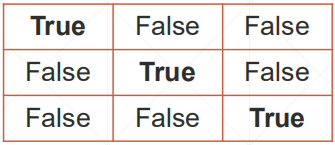
a = tf.random.normal([3, 3])

mask = a>0
# <tf.Tensor: id=46, shape=(3, 3), dtype=bool, numpy=
# array([[ True,  True,  True],
#        [False,  True,  True],
#        [ True,  True,  True]])>

tf.boolean_mask(a, mask)
# <tf.Tensor: id=128, shape=(8,), dtype=float32, numpy=
# array([0.469083  , 0.78703344, 2.418932  , 1.9637926 , 0.31090873,
#        0.11894408, 0.70458823, 0.00413397], dtype=float32)>

indices = tf.where(mask)
# <tf.Tensor: id=35, shape=(8, 2), dtype=int64, numpy=
# array([[0, 0],
#        [0, 1],
#        [0, 2],
#        [1, 1],
#        [1, 2],
#        [2, 0],
#        [2, 1],
#        [2, 2]], dtype=int64)>

tf.gather_nd(a, indices)
# <tf.Tensor: id=82, shape=(8,), dtype=float32, numpy=
# array([0.469083  , 0.78703344, 2.418932  , 1.9637926 , 0.31090873,
#        0.11894408, 0.70458823, 0.00413397], dtype=float32)>
注:
- tf.boolean_mask(a, mask) => mask 同型的掩码。
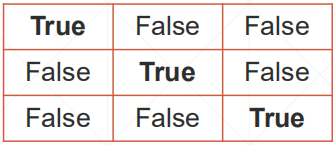
- tf.gather_nd(a, indices) => indices 符合维度的坐标。
- 返回同为 长向量。
- tf.where(mask) 返回 indices。
where(cond, A, B)
mask
# <tf.Tensor: id=46, shape=(3, 3), dtype=bool, numpy=
# array([[ True,  True,  True],
#        [False,  True,  True],
#        [ True,  True,  True]])>

A = tf.ones([3,3])
# <tf.Tensor: id=178, shape=(3, 3), dtype=float32, numpy=
# array([[1., 1., 1.],
#        [1., 1., 1.],
#        [1., 1., 1.]], dtype=float32)>

B = tf.zeros([3,3])
# <tf.Tensor: id=181, shape=(3, 3), dtype=float32, numpy=
# array([[0., 0., 0.],
#        [0., 0., 0.],
#        [0., 0., 0.]], dtype=float32)>

tf.where(mask, A, B)
# <tf.Tensor: id=308, shape=(3, 3), dtype=float32, numpy=
# array([[1., 1., 1.],
#        [0., 1., 1.],
#        [1., 1., 1.]], dtype=float32)>
注:
- A,B 同形
- cond[i, j, …] 为 True 取 A[i, j, …] ; False 取 B[i, j, …]
scatter_nd
- tf.scatter_nd(
- indices,
- updates,
- shape
one dim
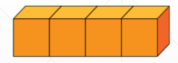
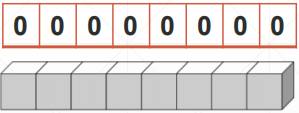
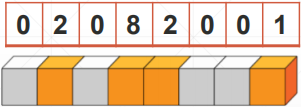
updates shape output
indices = tf.constant([[4],[3],[1],[7]])
updates = tf.constant([9, 10, 11, 12])
shape = tf.constant([8])

tf.scatter_nd(indices, updates, shape)
# <tf.Tensor: id=351, shape=(8,), dtype=int32, numpy=array([ 0, 11,  0, 10,  9,  0,  0, 12])>
multi-dim
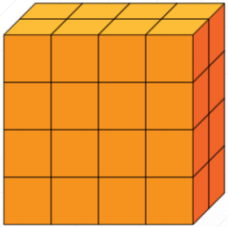
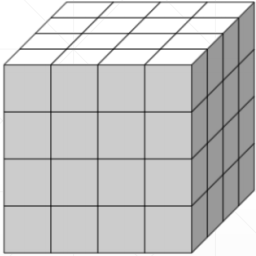
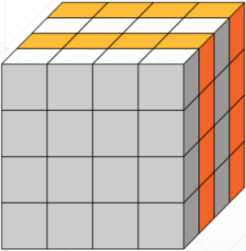
updates shape output
indices = tf.constant([[0],[2]])
updates = tf.constant([   [[5, 5, 5, 5],[6, 6, 6, 6],
                           [7, 7, 7, 7],[8, 8, 8, 8]],
                          [[5, 5, 5, 5], [6, 6, 6, 6],
                          [7, 7, 7, 7], [8, 8, 8, 8]]])


shape = tf.constant([4, 4, 4])
tf.scatter_nd(indices, updates, shape)
# <tf.Tensor: id=1087, shape=(4, 4, 4), dtype=int32, numpy=
# array([[[5, 5, 5, 5],
#         [6, 6, 6, 6],
#         [7, 7, 7, 7],
#         [8, 8, 8, 8]],
#        [[0, 0, 0, 0],
#         [0, 0, 0, 0],
#         [0, 0, 0, 0],
#         [0, 0, 0, 0]],
#        [[5, 5, 5, 5],
#         [6, 6, 6, 6],
#         [7, 7, 7, 7],
#         [8, 8, 8, 8]],
#        [[0, 0, 0, 0],
#         [0, 0, 0, 0],
#         [0, 0, 0, 0],
#         [0, 0, 0, 0]]])>
meshgrid
- [-2, -2]
- [-1, -2]
- [ 0, -2]
- [-2,-1]
- [-1,-1]
- …
- [ 2, 2]
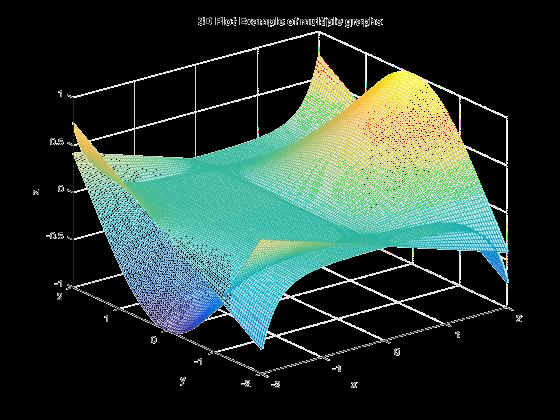
points
- [y, x, 2]
- [5, 5, 2]
- [N, 2]
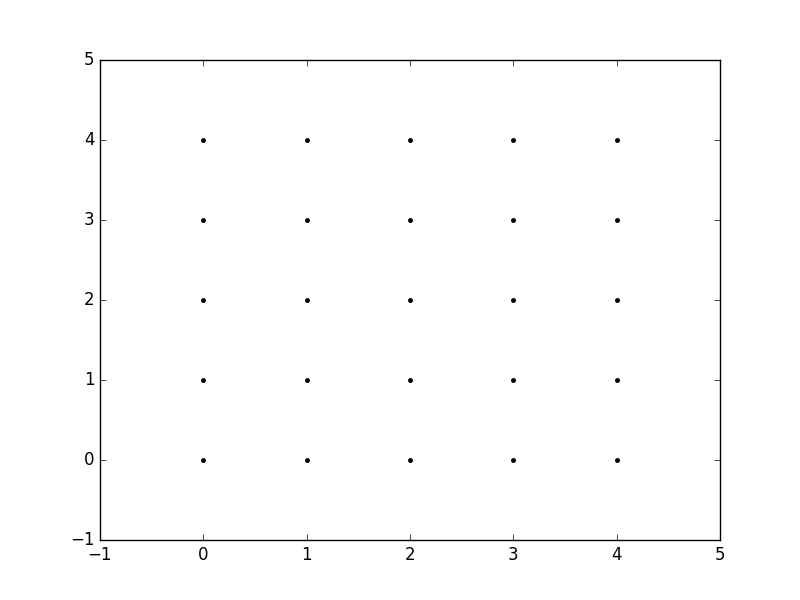
numpy 实现
import numpy as np
def meshgrid():
    points = []

    for y in np.linspace(-2, 2, 5):
        for x in np.linspace(-2, -2, 5):
            points.append([x,y])
    return np.array(points)
注:
- numpy 实现 无法GPU加速。
- 用 tensorflow 实现 可 GPU 加速。
tensorflow 实现
y = tf.linspace(-2., 2, 5)
# <tf.Tensor: id=65, shape=(5,), dtype=float32, numpy=array([-2., -1.,  0.,  1.,  2.], dtype=float32)>
x = tf.linspace(-2., 2, 5)
# <tf.Tensor: id=90, shape=(5,), dtype=float32, numpy=array([-2., -1.,  0.,  1.,  2.], dtype=float32)>

points_x, points_y = tf.meshgrid(x, y)
points_x.shape
points_x
<tf.Tensor: id=206, shape=(5, 5), dtype=float32, numpy=
array([[-2., -1.,  0.,  1.,  2.],
       [-2., -1.,  0.,  1.,  2.],
       [-2., -1.,  0.,  1.,  2.],
       [-2., -1.,  0.,  1.,  2.],
       [-2., -1.,  0.,  1.,  2.]], dtype=float32)>

points_y
<tf.Tensor: id=207, shape=(5, 5), dtype=float32, numpy=
array([[-2., -2., -2., -2., -2.],
       [-1., -1., -1., -1., -1.],
       [ 0.,  0.,  0.,  0.,  0.],
       [ 1.,  1.,  1.,  1.,  1.],
       [ 2.,  2.,  2.,  2.,  2.]], dtype=float32)>

points = tf.stack([points_x, points_y], axis=2)
# <tf.Tensor: id=368, shape=(5, 5, 2), dtype=float32, numpy=
# array([[[-2., -2.],
#         [-1., -2.],
#         [ 0., -2.],
#         [ 1., -2.],
#         [ 2., -2.]],
#        [[-2., -1.],
#         [-1., -1.],
#         [ 0., -1.],
#         [ 1., -1.],
#         [ 2., -1.]],
#        [[-2.,  0.],
#         [-1.,  0.],
#         [ 0.,  0.],
#         [ 1.,  0.],
#         [ 2.,  0.]],
#        [[-2.,  1.],
#         [-1.,  1.],
#         [ 0.,  1.],
#         [ 1.,  1.],
#         [ 2.,  1.]],
#        [[-2.,  2.],
#         [-1.,  2.],
#         [ 0.,  2.],
#         [ 1.,  2.],
#         [ 2.,  2.]]], dtype=float32)>
plot
import tensorflow as tf
import os
import matplotlib.pyplot as plt
os.environ['TF_CPP_MIN_LOG_LEVEL'] = '2'

def func(x):
    """
    :param x: [b, 2]
    :return:
    """
    z = tf.math.sin(x[...,0]) + tf.math.sin(x[...,1])

    return z


x = tf.linspace(0., 2*3.14, 500)
y = tf.linspace(0., 2*3.14, 500)
# [50, 50]
point_x, point_y = tf.meshgrid(x, y)
# [50, 50, 2]
points = tf.stack([point_x, point_y], axis=2)
# points = tf.reshape(points, [-1, 2])
print('points:', points.shape)
z = func(points)
print('z:', z.shape)

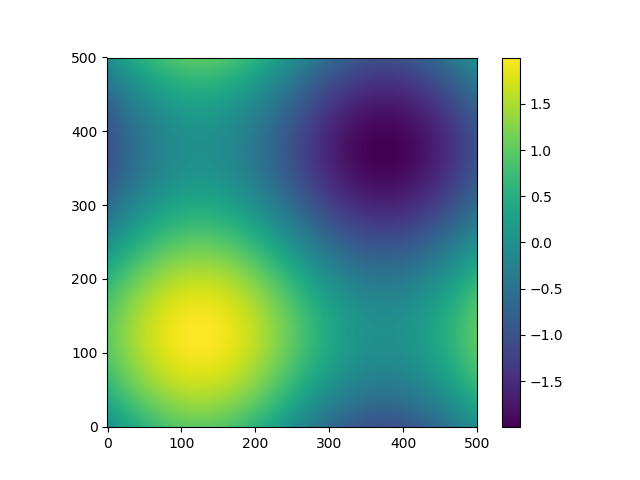
plt.figure('plot 2d func value')
plt.imshow(z, origin='lower', interpolation='none')
plt.colorbar()

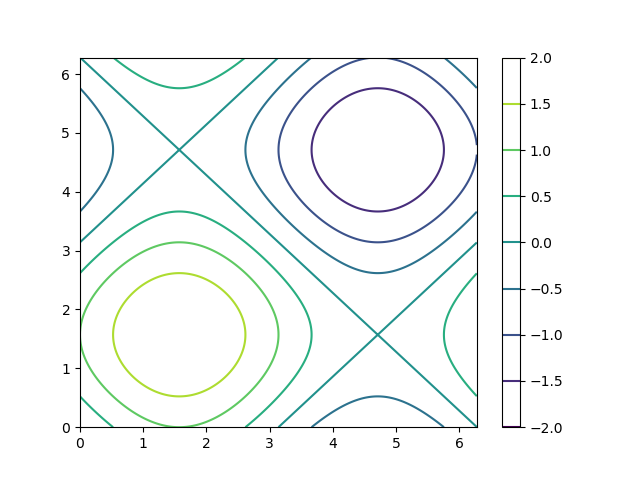
plt.figure('plot 2d func contour')
plt.contour(point_x, point_y, z)
plt.colorbar()
plt.show()
结果:
智能推荐
大数据学习——TensorFlow学习笔记5—TensorFlow2高阶操作
1、合并与分割 接口:拼接tf.concat、tf.split、合并tf.stack、tf.unstack (1)拼接tf.concat 不会创造新的维度,tf.concat([a,b],axis=x):a、b表示需要合并的tensor,x表示合并的维度 (2)合并tf.stack 使两个相同shape(所有维度相同)的tensor合并,且创造一个新的维度 ...
冒泡排序,及改进方式,性能优化400%>>>附图解加源码
首先源码附上,源码中带有注释,看不懂没关系,源码后面附带图解,最后附上代码效率提升图 源码如下: 方案一:其实实现很简单,两层循环,每次内层迭代出最大的一个值,将其放入数组最后一个位置,外层循环的末端便往前移一位。其原理如下图 方案一代码块: 方案二:优化改进 仔细观察上面的图,我们不难发现当迭代到图下这样的情况时,其实已经全排序好了,但是我们还是需要对它进行1,2,3,4,5,6的迭代,这些情况...
css3常用选择器
先介绍一下基本选择器,如下几种 *:通配符。选择页面的所有元素 E:元素选择器。对页面的一些元素进行选择,如p,div,li等 .class:类选择器 #id:id选择器。一个Id在一个页面中只能选择,这是和类选择器的区别 E F:后代选择器。如ul li。选中ul下的li E>F:子元素选择器。如下,可以用 h1 > strong {color:red;}使h1的子元素strong变...
python is not set from command line or npm configuration
问题 猜测原因 python版本冲突 解决方案 去官网找到最新版本python 点击下载,注意记住你下载的目录,下载好以后,打开这个目录下的文件夹,Python310, 整个文件夹复制一下 在项目里运行npm config list --json 找到python的路径 我的是 C:\\Python27\\python.exe 说明项目里用的还是py...
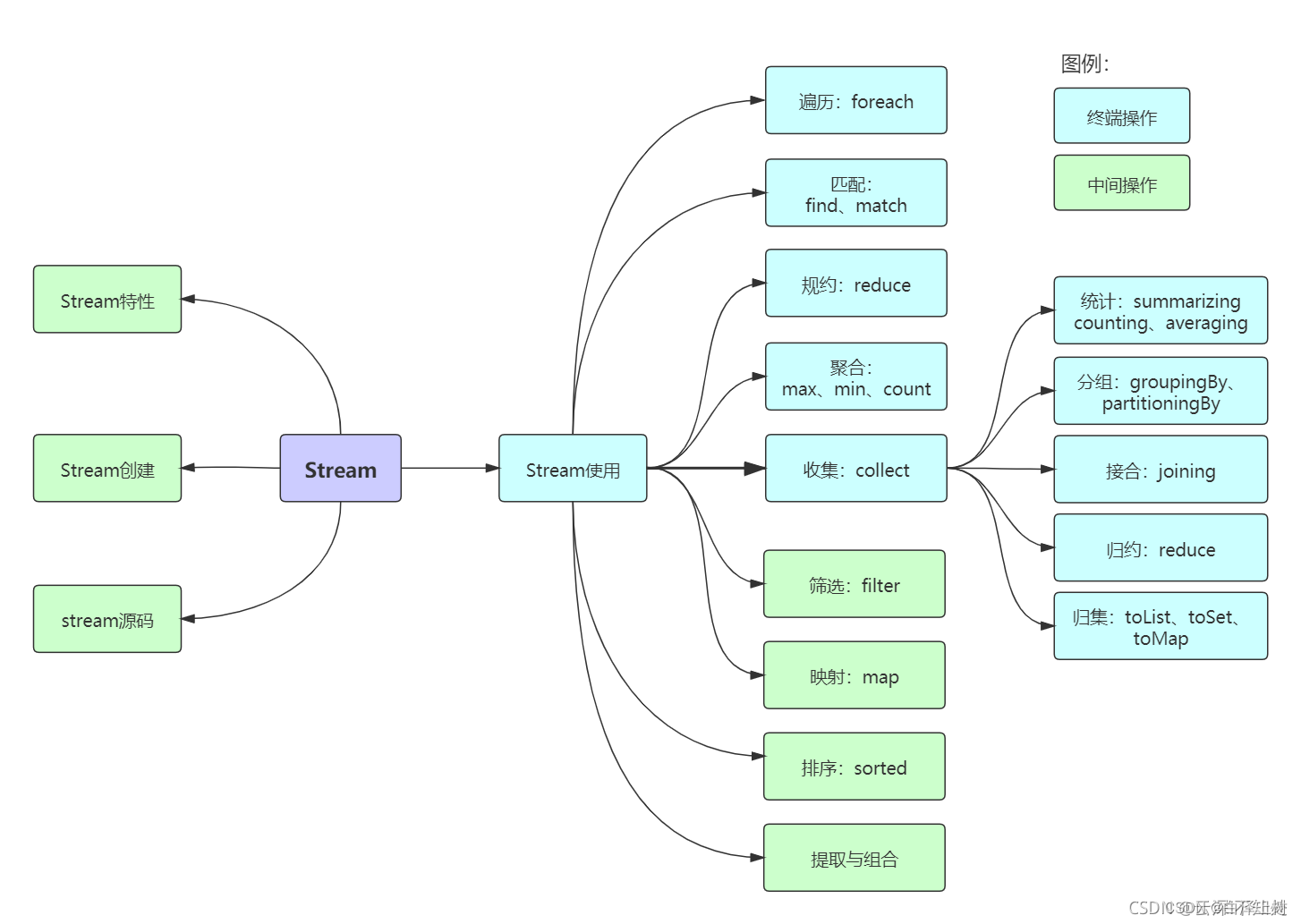
Java8 Stream流操作
前言 我们常常需要将一个容器转化成另一个容器,或是对这个容器中的数据进行批量处理,这时使用Stream流可以大大减少我们的工作量。 1 Stream概述 Java 8 是一个非常成功的版本,这个版本新增的Stream,配合同版本出现的 Lambda ,给我们操作集合(Collection)提供了极大的便利。 那么什么是Stream? Stream将要处理的元素集合看作一种流,在流的过程中,借助St...
猜你喜欢
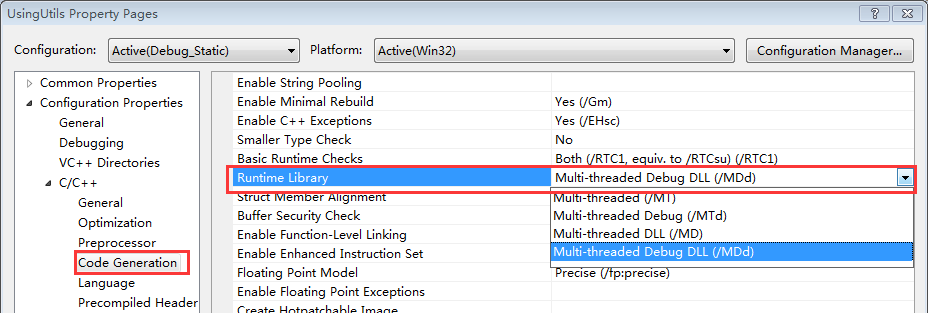
带你玩转Visual Studio——带你跳出坑爹的Runtime Library坑
在Windows下进行C++的开发,不可避免的要与Windows的底层库进行交互,然而VS下的一项设置MT、MTd、MD和MDd却经常让人搞迷糊,相信不少人都被他坑过,特别是你工程使用了很多第三库的时候,及容易出现各种链接问题。看一下下面这个错误提示: LIBCMT.lib(_file.obj) : error LNK2005: ___initstdio already defined...

git 设置 gitignore 忽略 __pycache__
清除git缓存中的pycache 直接删掉硬盘上的文件 如果我想保留硬盘上的这个文件,而只删除版本管理中的文件,就需要加入--cached参数。 切换分支出现问题 尽管我已经删除了__pycache__,硬盘也没有了,但是切换分支的时候依然是会提示本地重写的情况。 提示:需要我在切换分支之前,提交一次更新。 提交了更新之后,再来尝试切换分支,如下: 成功了,说明当做了任何变更之后,切换分支前需要执...
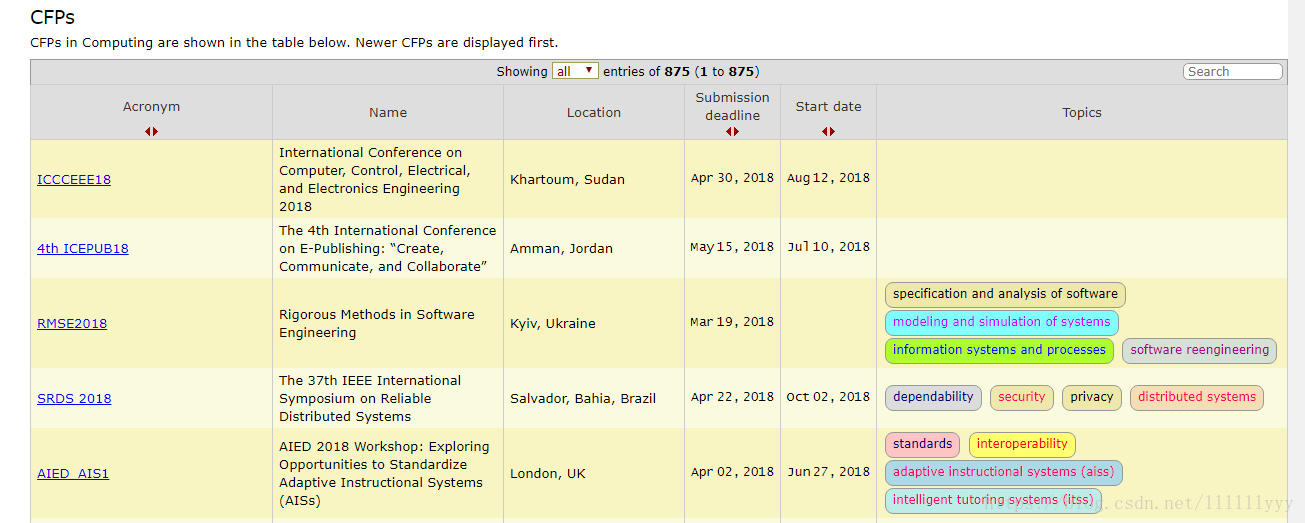
人生苦短,我用Python(二)— 爬取会议网站 EasyChair Smart CFP
寒假留校帮学长写了个爬虫,抓取会议网站上一些CFP信息。想着把一些知识点、坑点记下来,一来做个小总结给工作收收尾,二是以后再遇到好从容应对。 这是我写的第二个比较完善的爬虫了,比第一个要简单许多,完全过程化的代码,而且easychair这个网站页面布局比较友好,适合python新手、前端小白入门练习。但这个网站反爬比较厉害,写爬虫的过程中就被ban了好几次…… 制定抓取...
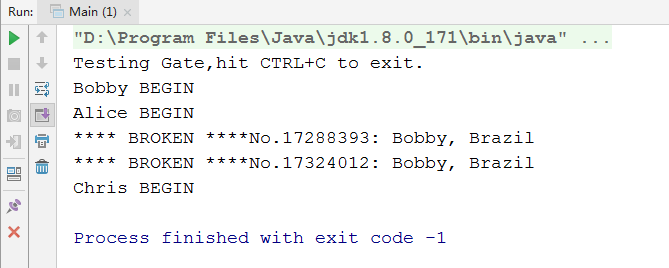
(三)Single Threaded Execution模式
一、定义 一个线程执行。有时也称为Critical Section(临界区)。 二、模式案例 案例: 假设有三个人,频繁地通过一扇门,规定每次只能通过一个人,当通过一个人时,程序会将通过的总人次加1,同时记录该次通过人的姓名和出生地。 门的定义: 人的定义 测试类 多次执行后发现可能出现以下结果: &...

Linux服务管理之系统管理员需要掌握的命令
为什么80%的码农都做不了架构师?>>> systemd的主要命令行工具是systemctl。大多数Linux系统管理员应该都已经非常熟悉系统服务和init系统管理,比如service,chkconfig和telinit命令的使用。systemd也完成同样的管理任务,只是命令工具systemctl的语法有所不同而已。 1. sysvinit和system...
