如何将局域网中的windows硬盘挂载到 linux系统中
标签: 工具
目录
文章目录
一 、准备两台机器
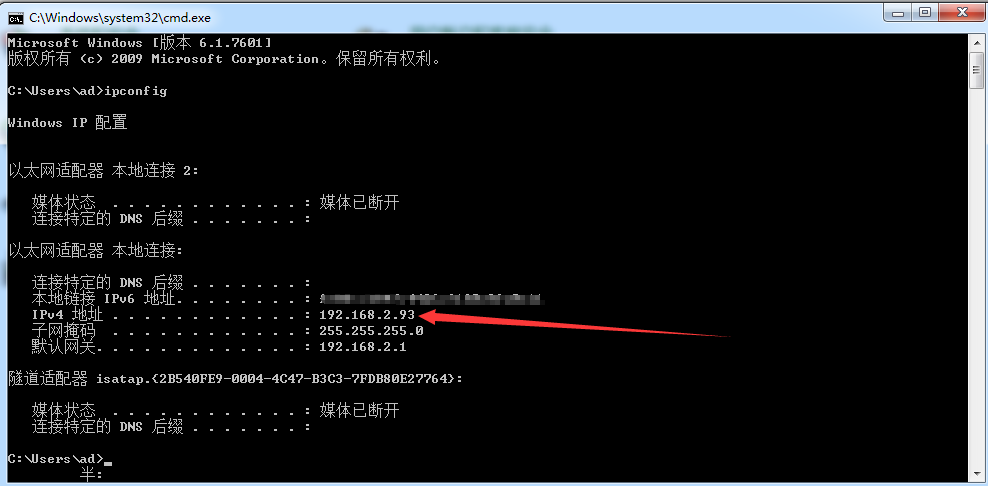
1.1 windows 7 系统
IP地址:192.168.2.93
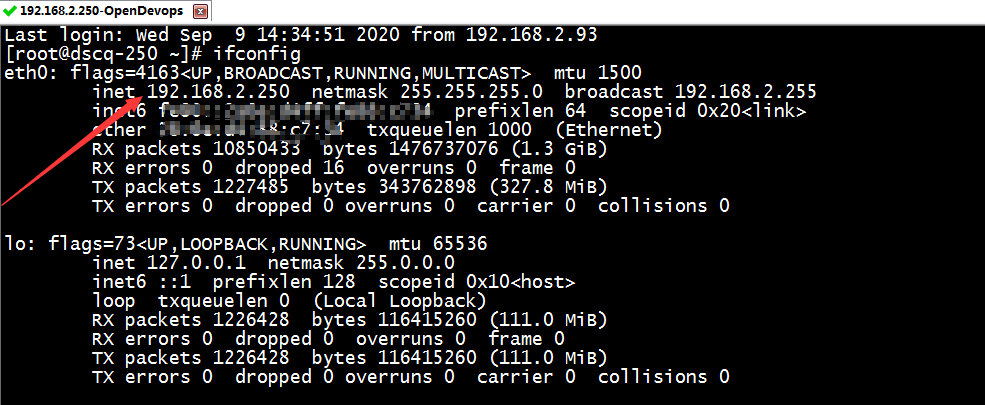
1.2 linux Centos7.2 系统
IP地址:192.168.2.250
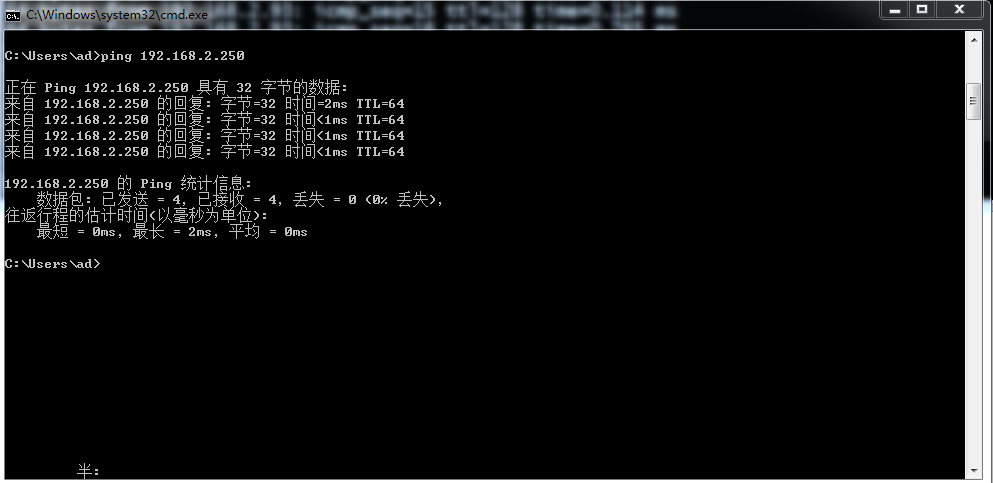
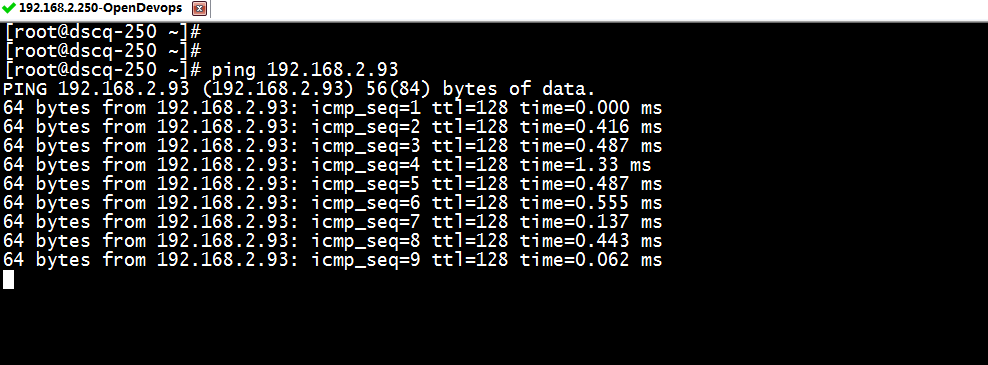
1.3 保证两台机器网络可以ping通
二 、共享windows上的F盘中的特定文件夹
共享账号:ad
共享密码:sharepasswd
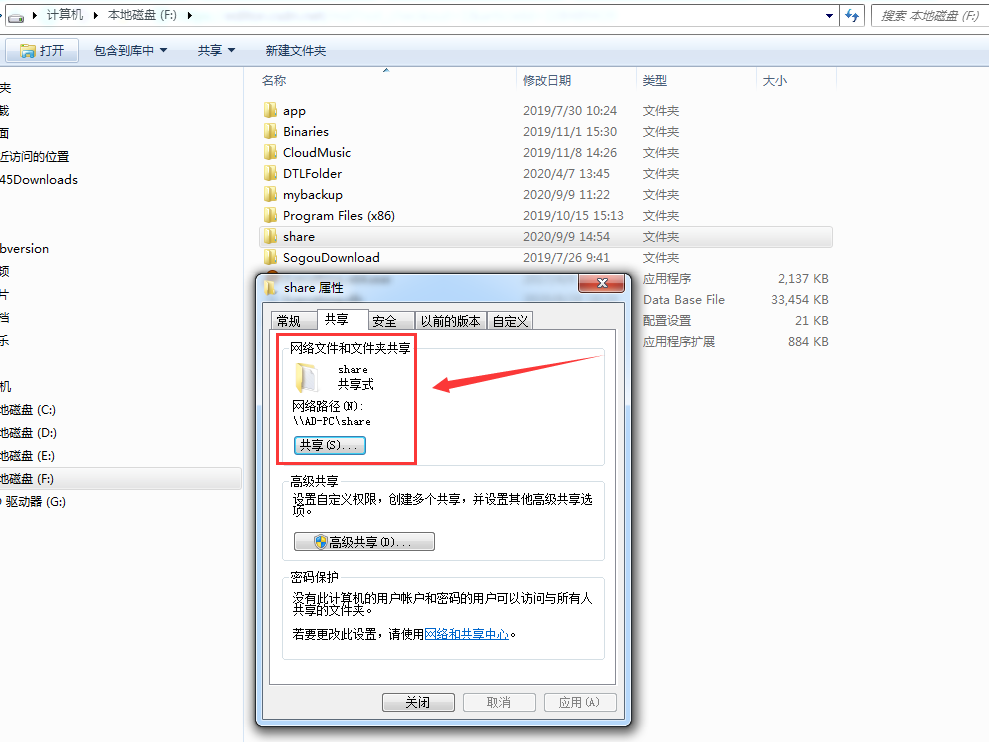
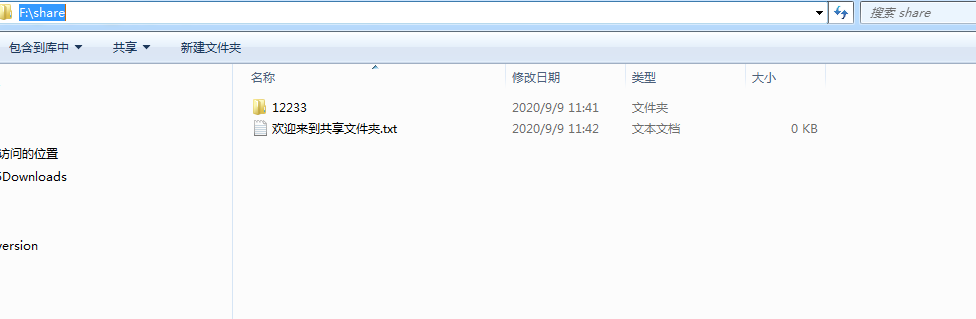
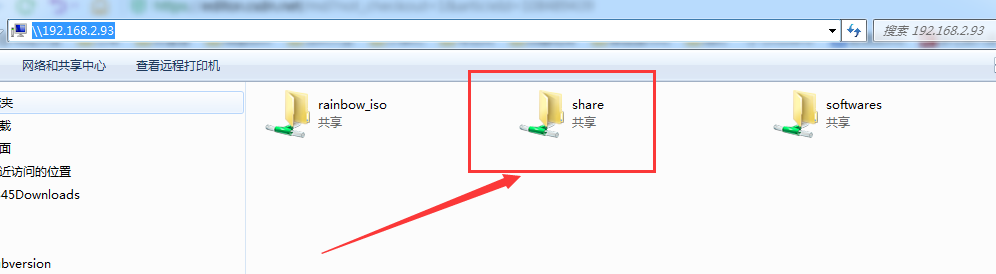
共享成功之后,可以通过\\192.168.2.93的方式连接到共享文件夹。
三 、linux上执行挂载命令
3.1 创建文件夹作为挂载点(也可以用已经存在的)
注意:挂载点是必须先存在的。
[root@dscq-250 ~]# pwd
/root
[root@dscq-250 ~]# mkdir /root/test
[root@dscq-250 ~]# ll
总用量 4
-rw-------. 1 root root 1000 8月   4 10:50 anaconda-ks.cfg
drwxr-xr-x. 2 root root    6 9月   9 15:05 test
3.2 在挂载点文件夹中创建文件
[root@dscq-250 test]# pwd
/root/test
[root@dscq-250 test]# touch from_linux_before_mount.log
[root@dscq-250 test]# ll
总用量 0
-rw-r--r--. 1 root root 0 9月   9 15:08 from_linux_before_mount.log
3.3 在windows共享文件夹中创建文件
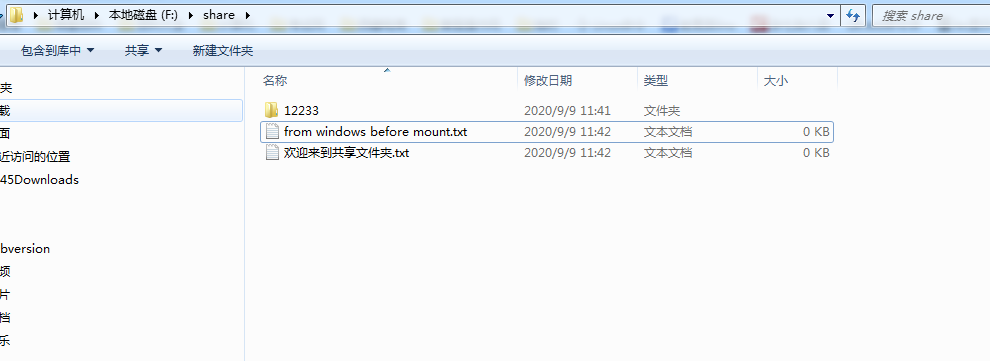
3.4 在linux上执行挂载命令
[root@dscq-250 test]# cd ../   #挂载时一定不要在挂载点当前目录,否则容易挂载失败
[root@dscq-250 ~]# mount //192.168.2.93/share /root/test -o username=ad,,password=sharepasswd
[root@dscq-250 ~]# df -h
文件系统                 容量  已用  可用 已用% 挂载点
/dev/mapper/centos-root   50G  6.7G   44G   14% /
devtmpfs                 3.8G     0  3.8G    0% /dev
tmpfs                    3.8G     0  3.8G    0% /dev/shm
tmpfs                    3.8G   89M  3.8G    3% /run
tmpfs                    3.8G     0  3.8G    0% /sys/fs/cgroup
/dev/mapper/centos-home  146G  680M  146G    1% /home
/dev/xvda1               497M  125M  373M   26% /boot
tmpfs                    730M     0  730M    0% /run/user/0
//192.168.2.93/share     430G   40G  390G   10% /root/test   ##看到这一行表示挂载成功##

[root@dscq-250 ~]# cd /root/test/
[root@dscq-250 test]# ll
总用量 0
drwxr-xr-x. 2 root root 0 9月   9 11:41 12233
-rwxr-xr-x. 1 root root 0 9月   9 11:42 from windows before mount.txt
-rwxr-xr-x. 1 root root 0 9月   9 11:42 欢迎来到共享文件夹.txt
注意:
- 挂载成功之后,查看windows共享文件夹发现并没有新增挂载前在linux挂载点创建的文件(夹);
- 挂载成功之后,查看linux挂载点发现已经新增挂载前在windows共享文件夹创建的文件(夹);
- 挂载成功之后,查看linux挂载点并未看到挂载前在linux挂载点文件夹创建的文件(夹);
3.5 在linux挂载点文件夹内创建新文件(夹)
[root@dscq-250 test]# pwd
/root/test
[root@dscq-250 test]# ll
总用量 0
drwxr-xr-x. 2 root root 0 9月   9 11:41 12233
-rwxr-xr-x. 1 root root 0 9月   9 11:42 from windows before mount.txt
-rwxr-xr-x. 1 root root 0 9月   9 11:42 欢迎来到共享文件夹.txt
[root@dscq-250 test]# touch from_linux_after_mount.log
[root@dscq-250 test]# ll
总用量 0
drwxr-xr-x. 2 root root 0 9月   9 11:41 12233
-rwxr-xr-x. 1 root root 0 9月   9 15:40 from_linux_after_mount.log   #####
-rwxr-xr-x. 1 root root 0 9月   9 11:42 from windows before mount.txt
-rwxr-xr-x. 1 root root 0 9月   9 11:42 欢迎来到共享文件夹.txt
注意:挂载成功之后,若在linux挂载点创建新文件(夹)是可以在windows共享文件夹中查看到的;
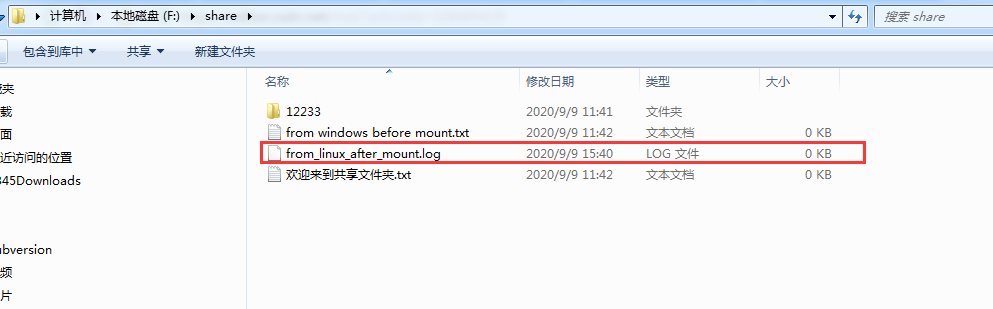
3.6 在windows共享文件夹内创建新文件(夹)
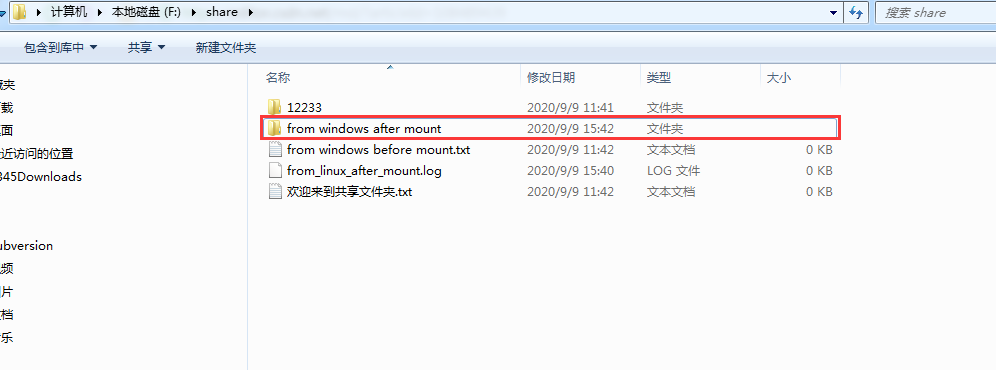
[root@dscq-250 test]# ll
总用量 0
drwxr-xr-x. 2 root root 0 9月   9 11:41 12233
-rwxr-xr-x. 1 root root 0 9月   9 15:40 from_linux_after_mount.log
drwxr-xr-x. 2 root root 0 9月   9 15:42 from windows after mount   #######
-rwxr-xr-x. 1 root root 0 9月   9 11:42 from windows before mount.txt
-rwxr-xr-x. 1 root root 0 9月   9 11:42 欢迎来到共享文件夹.txt
注意:挂载成功之后,若在windows共享文件夹创建新文件(夹)还是可以在linux挂载点文件夹中查看到的;
3.7 在linux挂载点文件夹内删除文件(夹)
[root@dscq-250 test]# ll
总用量 0
drwxr-xr-x. 2 root root 0 9月   9 11:41 12233
-rwxr-xr-x. 1 root root 0 9月   9 15:40 from_linux_after_mount.log
drwxr-xr-x. 2 root root 0 9月   9 15:42 from windows after mount
-rwxr-xr-x. 1 root root 0 9月   9 11:42 from windows before mount.txt
-rwxr-xr-x. 1 root root 0 9月   9 11:42 欢迎来到共享文件夹.txt
您在 /var/spool/mail/root 中有新邮件
[root@dscq-250 test]# rm -rf 12233
[root@dscq-250 test]# ll
总用量 0
-rwxr-xr-x. 1 root root 0 9月   9 15:40 from_linux_after_mount.log
drwxr-xr-x. 2 root root 0 9月   9 15:42 from windows after mount
-rwxr-xr-x. 1 root root 0 9月   9 11:42 from windows before mount.txt
-rwxr-xr-x. 1 root root 0 9月   9 11:42 欢迎来到共享文件夹.txt
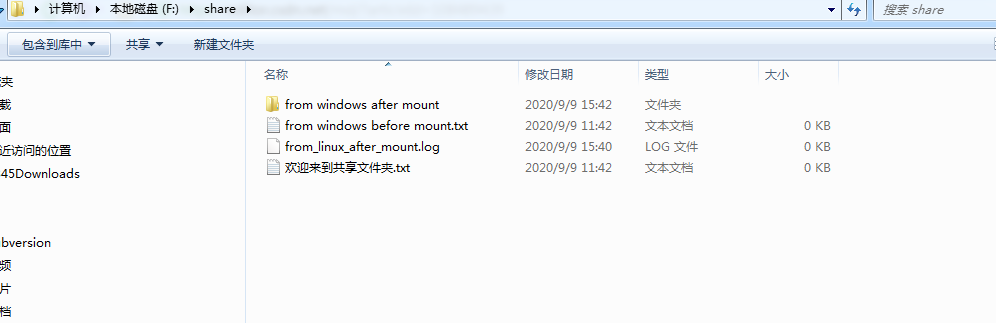
注意:挂载成功之后,若在linux挂载点删除新文件(夹)是可以在windows共享文件夹中看到变化的;
3.8 在windows共享文件夹内删除文件(夹)
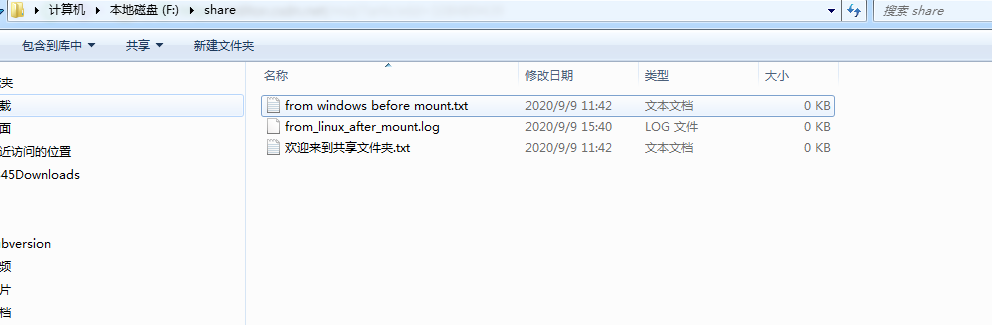
操作删除文件夹from windows after mount
[root@dscq-250 test]# pwd
/root/test
[root@dscq-250 test]# ll
总用量 0
-rwxr-xr-x. 1 root root 0 9月   9 15:40 from_linux_after_mount.log
-rwxr-xr-x. 1 root root 0 9月   9 11:42 from windows before mount.txt
-rwxr-xr-x. 1 root root 0 9月   9 11:42 欢迎来到共享文件夹.txt
注意:挂载成功之后,若在windows共享文件夹删除新文件(夹)是可以在linux挂载点文件夹中看到变化的;
四、取消挂载
[root@dscq-250 test]# umount /root/test
umount: /root/test:目标忙。
        (有些情况下通过 lsof(8) 或 fuser(1) 可以
         找到有关使用该设备的进程的有用信息)
[root@dscq-250 test]# cd ../
[root@dscq-250 ~]# umount /root/test
[root@dscq-250 ~]# df -h
文件系统                 容量  已用  可用 已用% 挂载点
/dev/mapper/centos-root   50G  6.7G   44G   14% /
devtmpfs                 3.8G     0  3.8G    0% /dev
tmpfs                    3.8G     0  3.8G    0% /dev/shm
tmpfs                    3.8G   89M  3.8G    3% /run
tmpfs                    3.8G     0  3.8G    0% /sys/fs/cgroup
/dev/mapper/centos-home  146G  680M  146G    1% /home
/dev/xvda1               497M  125M  373M   26% /boot
tmpfs                    730M     0  730M    0% /run/user/0

[root@dscq-250 ~]# cd /root/test/
[root@dscq-250 test]# ll
总用量 0
-rw-r--r--. 1 root root 0 9月   9 15:34 from_linux_before_mount.log
注意:取消挂载之后,原来在/root/test文件夹中的文件(夹)又可以看到了;
智能推荐
手机端图片放大,双指放大,元素的双指缩放
在做webapp时候,遇到一个需要做双指放大的功能,需求是:一张带有坐标的图片上有固定的点,需要点击这些坐标上的点进入相应的商品,并且需要对这一块进行双指可以缩放,双击缩放; 一开始是自己写监听touch事件进行处理,但是再缩放的时候,偶尔出现卡顿闪烁,用户体验不很好,后来采用插件 pinch-zoom GitHub地址: https://github.com/manuelstofer/...
redis 初步了解
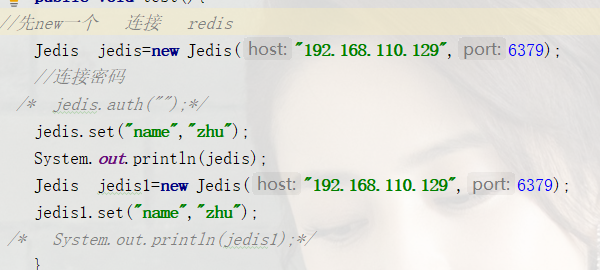
1.连接redis 通过java操作 1.首先 导入redis驱动 2.连接redis通过jedis 2.创建redis连接池 连接redis通过 jedis 相当于HTTPclient 1.创建单例模式的方法 在调用的时候被创建 2.创建私有静态 jedisPool 3. 创建私有类 创建静态代码块 放入连接池的基本配置 4.有 最大连接数 最大空闲书 最小空闲连接数 5. 创建连接redis对...

第6章数据类型-基本数据类型-Boolean类型-main
防采集标记:亢少军老师的课程和资料 Dart交流群:1046954554 Flutter开源项目请关注: https://github.com/kangshaojun @作者: 亢少军 '...

使用 Infura 和 web3.js 呼叫合约
如果你希望马上开始学习以太坊DApp开发,可以访问汇智网提供的出色的在线互动教程: 以太坊DApp实战入门教程 以太坊去中心化电商应用开发实战 如果你希望了解如何部署合约,可以查看另一篇文章:在truffle中使用infura部署以太坊智能合约。 Infura 提供公开的 Ethereum 主网和测试网络节点。到 Infura 官网申请,只要输入一点基本资料和 Email,就可以收到 API-ke...
猜你喜欢

手写RPC通信框架
RPC基本介绍 服务器端构建 API包下主体编写 首先初始采用Socket进行通信利用IO进行数据交互,对客户端要提供API调用接口,使得客户端可以利用API中提供的接口,获得服务器端的数据。服务器端模块目录如下: 先编写一个接口,该接口放置在api模块下,实现类放置在provider模块下,这样做目的是让客户端仅加载API包的条件下,可以调用服务器端的实现类完成具体业务逻辑。 服务器端需要客户端...

Highcharts饼状图Ajax动态赋值的问题
这种饼状图是动态的当鼠标放上面那一部分会突出的 Highcharts下载:点击下载 Highcharts-zh_CN.js下载:点击下载 效果图: 前台js代码: 控制层代码: 其中用到两种传值方式一种JSON另一种用Map传值给Ajax,下面为取到的值。 两个饼状图并列展示前台代码: 给饼状图赋值主要就是取json拼接成 data:[[name,y],[name,y]]这样的数组 注意y后面的数...

Qt工程Windows下的安装包制作
工具 Depends.exe nisedit2.0.3.exe nsis-2.50-setup.exe 先安装nsis-2.50-setup.exe, 在安装nisedit2.0.3.exe. 都按默认安装即可. Depends.exe不需要安装. 步骤 1, 在工程中的main()函数里添加如下代码解决库路径问题. 2, 在工程文件.pro中添加如下内容, 其中”DESTDIR=in...
LNMP架构(8)GoAccess可视化动态日志分析平台的部署
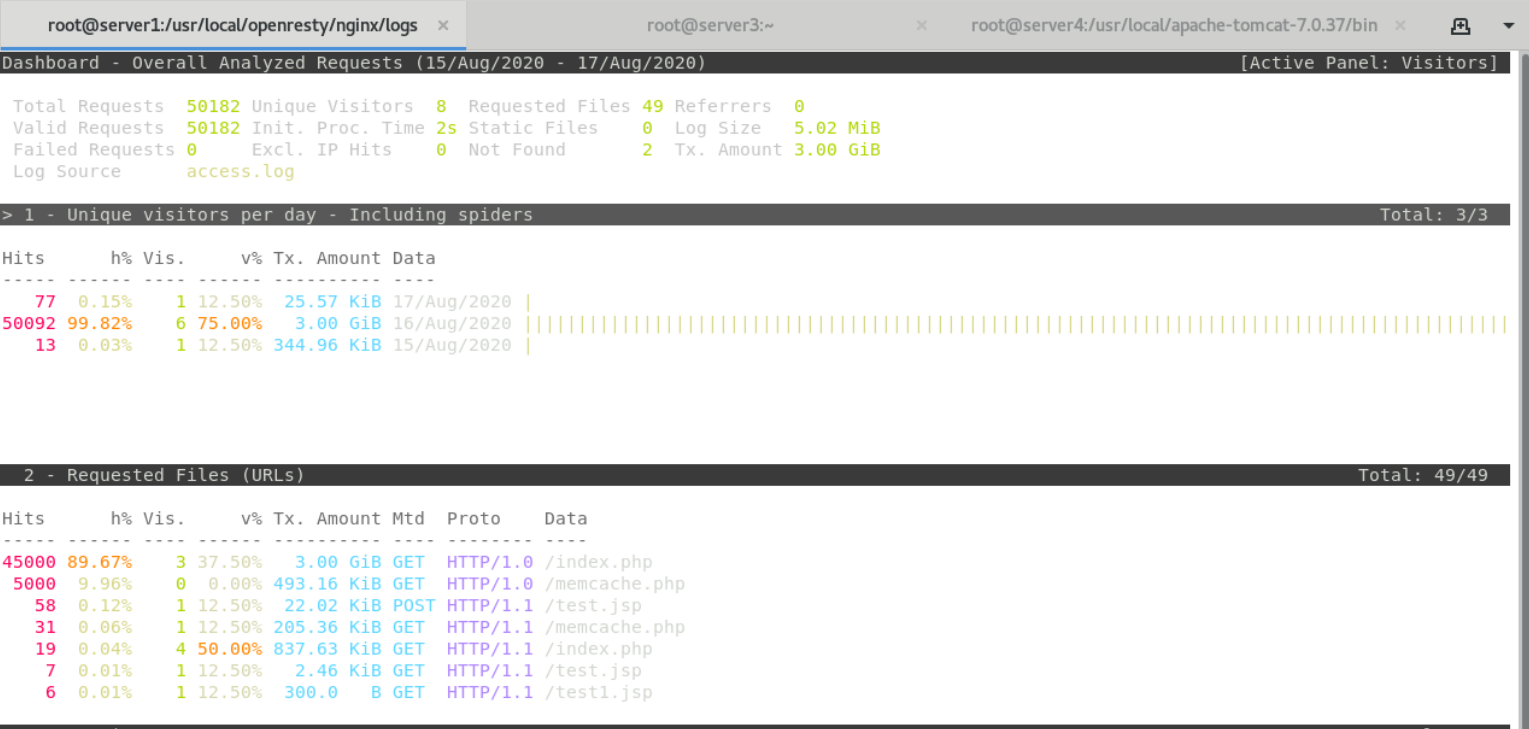
一.简介 1.goaccess主要用于分析apache和nginx日志,功能十分强大。 二。安装 三。用goaccess分析nginx的日志 网页分析日志...
JAVAWEB学习总结,DAY10(JavaScript高级)
学习目标 能够使用正则表达式进行表单的验证 能够使用DOM中来查找节点 能够使用DOM来增删改节点 能够使用数组中常用的方法 能够使用日期对象常用的方法 案例一使用JS完成表单的校验plus 一,案例需求 用户名输入框,电子邮箱, 手机号码 , 获得焦点的时候给用户提示, 失去焦点进行 校验 用户名:只能由英文字母和数字组成,长度为4~16个字符,并且以英文字母开头 手机号:以1开头, 第二为是3...
